Posted on Leave a comment

Best tablets in India 2026

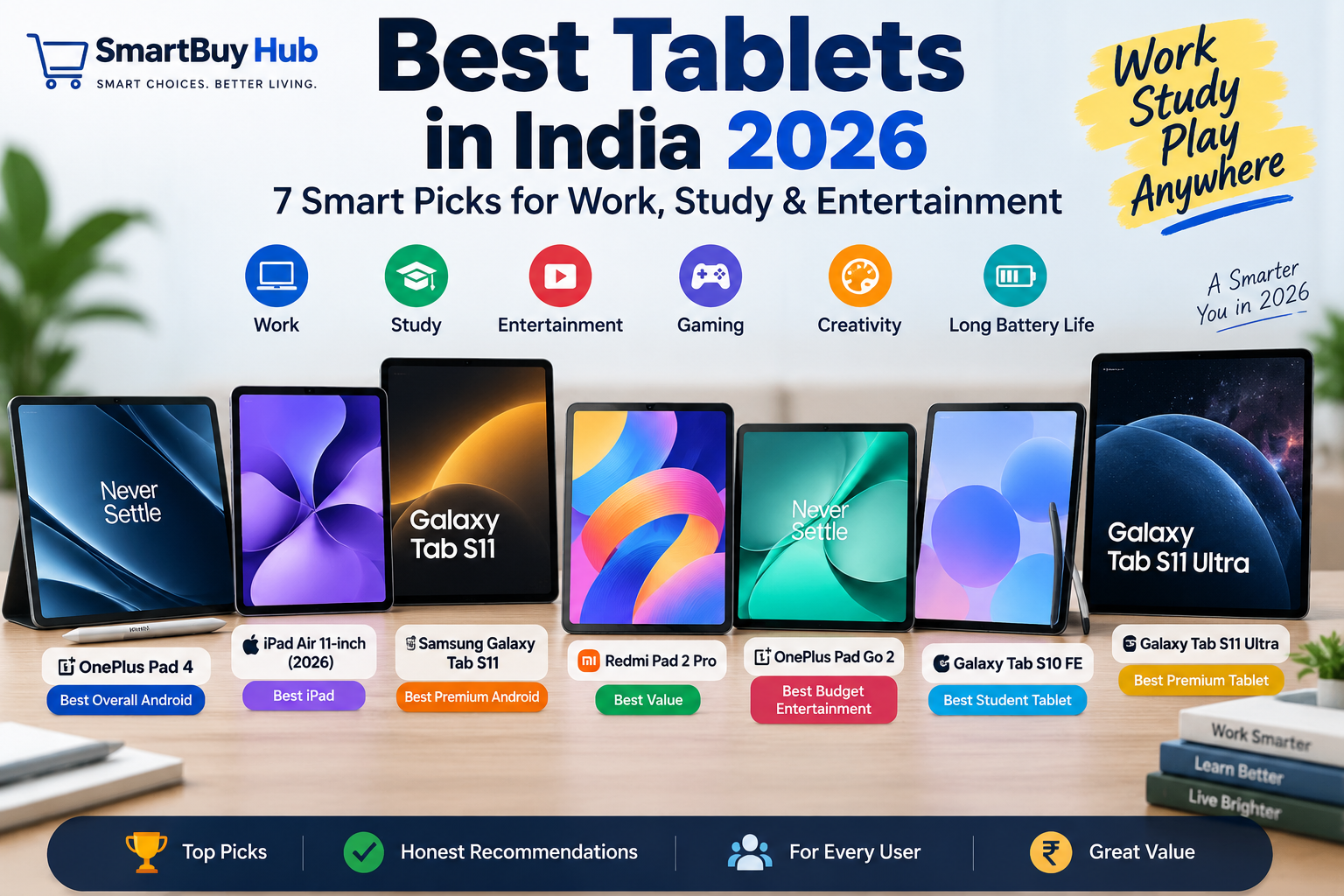
Best tablets in India 2026 featuring OnePlus Pad 4, iPad Air, Galaxy Tab S11, Redmi Pad 2 Pro, OnePlus Pad Go 2 and Samsung tablets
SMARTBUY HUB โ€ข TABLETS

Best Tablets in India 2026: 7 Smart Picks for Work, Study & Entertainment

From powerful Android tablets and premium iPads to student-friendly and budget entertainment options, these are seven smart tablets worth considering in 2026.

๐Ÿ“ฑ Our 7 Tablet Picks

We selected these tablets for different types of users rather than simply ranking them by price or specifications.

  • OnePlus Pad 4 โ€” Best Overall Android
  • Apple iPad Air 11-inch (2026) โ€” Best iPad
  • Samsung Galaxy Tab S11 โ€” Best Premium Android
  • Redmi Pad 2 Pro 5G โ€” Best Value
  • OnePlus Pad Go 2 โ€” Best Budget Entertainment
  • Samsung Galaxy Tab S10 FE โ€” Best Student Tablet
  • Samsung Galaxy Tab S11 Ultra โ€” Best Premium Tablet

Why Buy a Tablet in 2026?

Modern tablets sit between smartphones and laptops, offering larger displays for reading, studying, streaming, gaming, video calls and productivity without the bulk of a traditional laptop.

The best choice depends heavily on how you plan to use it. A student may care more about stylus support and battery life, while a professional may prioritize multitasking and accessories. A family looking mainly for entertainment may prefer a large display and strong speakers.

โšก Quick Picks

๐Ÿ† BEST OVERALL ANDROID

OnePlus Pad 4

Flagship-level Android performance, a large high-refresh display and a huge battery make it our overall Android pick.

๐ŸŽ BEST IPAD

Apple iPad Air 11-inch

A strong choice for Apple users who want a capable tablet in a relatively compact size.

โญ BEST PREMIUM ANDROID

Samsung Galaxy Tab S11

A premium AMOLED Android tablet with strong productivity and entertainment credentials.

๐Ÿ’ฐ BEST VALUE

Redmi Pad 2 Pro 5G

A large-screen option aimed at buyers who want strong everyday capability without entering flagship pricing.

๐ŸŽฌ BEST BUDGET ENTERTAINMENT

OnePlus Pad Go 2

A practical large-screen tablet for streaming, browsing and everyday entertainment.

๐ŸŽ“ BEST STUDENT TABLET

Samsung Galaxy Tab S10 FE

A productivity-focused choice with S Pen support and a practical form factor for study.

๐Ÿ‘‘ BEST PREMIUM TABLET

Samsung Galaxy Tab S11 Ultra

The ultimate large-screen Samsung option for demanding productivity, entertainment and creative work.

๐Ÿ“Š Tablet Comparison

Tablet Platform Best For Buyer Type
OnePlus Pad 4 Android Performance & productivity Power users
iPad Air 11-inch iPadOS Apple ecosystem Students & professionals
Galaxy Tab S11 Android Premium Android Power users
Redmi Pad 2 Pro 5G Android Value & large-screen use Value buyers
OnePlus Pad Go 2 Android Entertainment Everyday users
Galaxy Tab S10 FE Android Study & productivity Students
Galaxy Tab S11 Ultra Android Large-screen premium work Professionals & creators
๐Ÿ† #1 โ€ข BEST OVERALL ANDROID

OnePlus Pad 4

The OnePlus Pad 4 is our overall Android pick because it combines flagship-level performance, a large high-refresh display and an enormous battery in a tablet designed for both entertainment and productivity.

Current India listings specify a Snapdragon 8 Elite Gen 5 processor, 13.2-inch 3.4K display with a 144Hz refresh rate and a 13,380mAh battery. Current India coverage also highlights its 7:5 aspect ratio as useful for reading and productivity.

  • Flagship Snapdragon 8 Elite Gen 5 platform
  • 13.2-inch high-resolution display
  • 144Hz refresh rate
  • 13,380mAh battery
  • Strong multitasking potential
  • Android 16 / OxygenOS 16 ecosystem

Best for: Power users, students, gaming, multitasking and entertainment.

Amazon ASIN: B0GX6Q2NBS

Check Latest Price on Amazon โ†’
๐ŸŽ #2 โ€ข BEST IPAD

Apple iPad Air 11-inch (2026)

The 11-inch iPad Air is the natural choice for buyers already invested in Apple’s ecosystem or anyone who prefers iPadOS and the iPad app ecosystem.

Its compact 11-inch format makes it easier to carry than Apple’s larger tablets while still providing substantially more screen space than a phone.

  • 11-inch tablet format
  • iPadOS ecosystem
  • Strong app selection
  • Excellent choice for Apple users
  • Suitable for study, work and creative applications

Best for: Students, professionals, Apple users and creative-app users.

Amazon ASIN: B0GQVLL5FH

Check Latest Price on Amazon โ†’
โญ #3 โ€ข BEST PREMIUM ANDROID

Samsung Galaxy Tab S11

The Galaxy Tab S11 is our premium Android choice for buyers who want a high-quality AMOLED display, strong performance and Samsung’s mature multitasking ecosystem.

Current India coverage lists the Tab S11 with a MediaTek Dimensity 9400+ processor, an 11-inch 2960 ร— 1848 Dynamic AMOLED 2X display with 120Hz refresh rate and an 8,400mAh battery.

  • 11-inch Dynamic AMOLED 2X
  • 120Hz refresh rate
  • MediaTek Dimensity 9400+
  • Samsung DeX productivity features
  • S Pen ecosystem
  • Strong multitasking experience

Best for: Premium Android users, productivity, entertainment and multitasking.

Amazon ASIN: B0F29N6M4Z

Check Latest Price on Amazon โ†’
๐Ÿ’ฐ #4 โ€ข BEST VALUE

Redmi Pad 2 Pro 5G

The Redmi Pad 2 Pro 5G is our value choice for buyers who want a large display, strong battery capacity and useful everyday performance without moving into premium-tablet territory.

Current India coverage lists a 12.1-inch display, Snapdragon 7s Gen 4 processor, 12,000mAh battery and IP53 protection.

  • 12.1-inch large display
  • Snapdragon 7s Gen 4
  • 12,000mAh battery
  • 5G connectivity on the listed variant
  • Useful for streaming and everyday productivity

Best for: Value buyers, entertainment, browsing and large-screen productivity.

Amazon ASIN: B0F63QWSCB

Check Latest Price on Amazon โ†’
๐ŸŽฌ #5 โ€ข BEST BUDGET ENTERTAINMENT

OnePlus Pad Go 2

The OnePlus Pad Go 2 is designed for people who mainly want a large-screen device for streaming, browsing, reading, casual gaming and everyday tablet tasks.

It is a more accessible alternative to flagship tablets and makes sense when maximum performance is less important than screen size, battery life and everyday usability.

  • 12.1-inch class display
  • Large 10,050mAh battery
  • Android 16
  • Useful for streaming and browsing
  • 5G option available in the current lineup

Best for: Entertainment, families, browsing and everyday media consumption.

Amazon ASIN: B0G4QQNK1K

Check Latest Price on Amazon โ†’
๐ŸŽ“ #6 โ€ข BEST STUDENT TABLET

Samsung Galaxy Tab S10 FE

The Galaxy Tab S10 FE is our student pick because it combines a practical tablet size, S Pen support and Samsung’s productivity ecosystem.

It is particularly useful for students who want to read PDFs, take handwritten notes, attend online classes, browse research material and use split-screen applications.

  • 10.9-inch WUXGA+ display
  • S Pen support
  • 13MP rear camera
  • 12MP front camera
  • microSD expansion
  • IP68 protection

Best for: Students, note-taking, research, online classes and everyday productivity.

Amazon ASIN: B0DHH97DM5

Check Latest Price on Amazon โ†’
๐Ÿ‘‘ #7 โ€ข BEST PREMIUM TABLET

Samsung Galaxy Tab S11 Ultra

The Galaxy Tab S11 Ultra is the ultimate large-screen choice in our lineup. It is aimed at buyers who want a premium display, powerful Android performance, advanced multitasking and a huge canvas for work or entertainment.

Samsung’s current S11 Ultra combines a 14.6-inch Dynamic AMOLED 2X display, 120Hz refresh rate, S Pen support, Samsung DeX and IP68 protection.

  • 14.6-inch Dynamic AMOLED 2X display
  • 120Hz refresh rate
  • Flagship MediaTek Dimensity 9400+
  • S Pen support
  • Samsung DeX
  • IP68 protection
  • Large 11,600mAh battery

Best for: Professionals, creators, multitasking, premium entertainment and large-screen productivity.

Amazon ASIN: B0F29P794D

Check Latest Price on Amazon โ†’

๐ŸŽ“ Best Tablet for Students

Our pick: Samsung Galaxy Tab S10 FE.
Students should prioritize battery life, comfortable screen size, note-taking support, portability and accessories rather than simply buying the fastest tablet.

The OnePlus Pad 4 is also worth considering for students who want significantly more performance, while the iPad Air is attractive for students already using Apple devices.

๐Ÿ’ผ Best Tablet for Work

For serious Android productivity, the OnePlus Pad 4, Galaxy Tab S11 and Galaxy Tab S11 Ultra are the strongest options here.

If you rely heavily on Apple’s software ecosystem, the iPad Air becomes the obvious alternative.

๐ŸŽฌ Best Tablet for Entertainment

For pure entertainment, screen size and audio experience matter as much as raw processor performance. The Galaxy Tab S11 Ultra offers the biggest premium canvas in our lineup, while the OnePlus Pad Go 2 makes more sense for buyers who want a more accessible option.

๐ŸŽฎ Best Tablet for Gaming

For demanding gaming, the OnePlus Pad 4 and Galaxy Tab S11 are the strongest choices in this list because of their flagship-class hardware and high-refresh displays.

The Redmi Pad 2 Pro is the value-oriented alternative for buyers who don’t need flagship performance.

๐ŸŽ iPad vs Android Tablet

Choose iPad if you want:

  • Apple ecosystem integration
  • iPadOS applications
  • Long-term software support
  • Creative applications
  • Easy integration with an iPhone or Mac

Choose Android if you want:

  • More hardware choices
  • Flexible multitasking
  • Samsung DeX on compatible models
  • Expandable storage on selected tablets
  • Greater variety across price ranges

๐Ÿ’ก 7 Things to Check Before Buying a Tablet

  1. Display: Check size, resolution, brightness and refresh rate.
  2. Processor: Choose performance based on your actual workload.
  3. RAM: More RAM can help with multitasking and demanding applications.
  4. Storage: Don’t underestimate how quickly games, videos and documents consume space.
  5. Stylus support: Essential if you plan to handwrite notes or draw.
  6. Keyboard support: Important if you want to use the tablet for work.
  7. Connectivity: Decide whether Wi-Fi is enough or you genuinely need cellular/5G.

โ“ Frequently Asked Questions

Which is the best tablet in India in 2026?

For Android, our overall pick is the OnePlus Pad 4. For Apple users, the 11-inch iPad Air is the strongest choice in this lineup. The Galaxy Tab S11 Ultra is our premium large-screen recommendation.

Which tablet is best for students?

The Samsung Galaxy Tab S10 FE is our student pick because of its practical size, S Pen support and productivity features.

Is an iPad better than an Android tablet?

Neither is universally better. iPads are particularly attractive for Apple users and creative applications, while Android tablets offer a wider range of hardware, features and price points.

Which tablet is best for gaming?

The OnePlus Pad 4 and Galaxy Tab S11 are our strongest choices here for demanding gaming and high-refresh display use.

Do I need a 5G tablet?

Not necessarily. If you usually use your tablet at home, school or work where Wi-Fi is available, a Wi-Fi model can be sufficient. Cellular connectivity becomes more useful for frequent travel.

Can a tablet replace a laptop?

For browsing, studying, documents, video calls and light productivity, many tablets can replace a laptop. For specialized desktop applications, complex workflows and extensive file management, a laptop may still be better.

Should I buy a keyboard for my tablet?

If you plan to write long documents, answer emails or use the tablet as a laptop alternative, a keyboard can significantly improve productivity.

๐Ÿ† SmartBuy Hub Final Verdict

The best tablet depends on what you actually need. Don’t automatically buy the most expensive model. Choose the combination of display, performance, battery, software, accessories and connectivity that fits your lifestyle.

  • Best Overall Android: OnePlus Pad 4
  • Best iPad: Apple iPad Air 11-inch (2026)
  • Best Premium Android: Samsung Galaxy Tab S11
  • Best Value: Redmi Pad 2 Pro 5G
  • Best Budget Entertainment: OnePlus Pad Go 2
  • Best Student Tablet: Samsung Galaxy Tab S10 FE
  • Best Premium Tablet: Samsung Galaxy Tab S11 Ultra

Our overall Android winner is the OnePlus Pad 4 because it delivers an unusually strong combination of flagship performance, a large 144Hz display and a huge battery. Current India coverage also ranks it highly for value.

๐Ÿ“ข Affiliate Disclosure

SmartBuy Hub may earn a commission when you purchase through qualifying affiliate links on this page. This does not increase the price you pay. Product availability and pricing can change, so always check the latest Amazon listing before purchasing.
Posted on Leave a comment

Best Cameras in India 2026: 7 Mirrorless Cameras Worth Buying

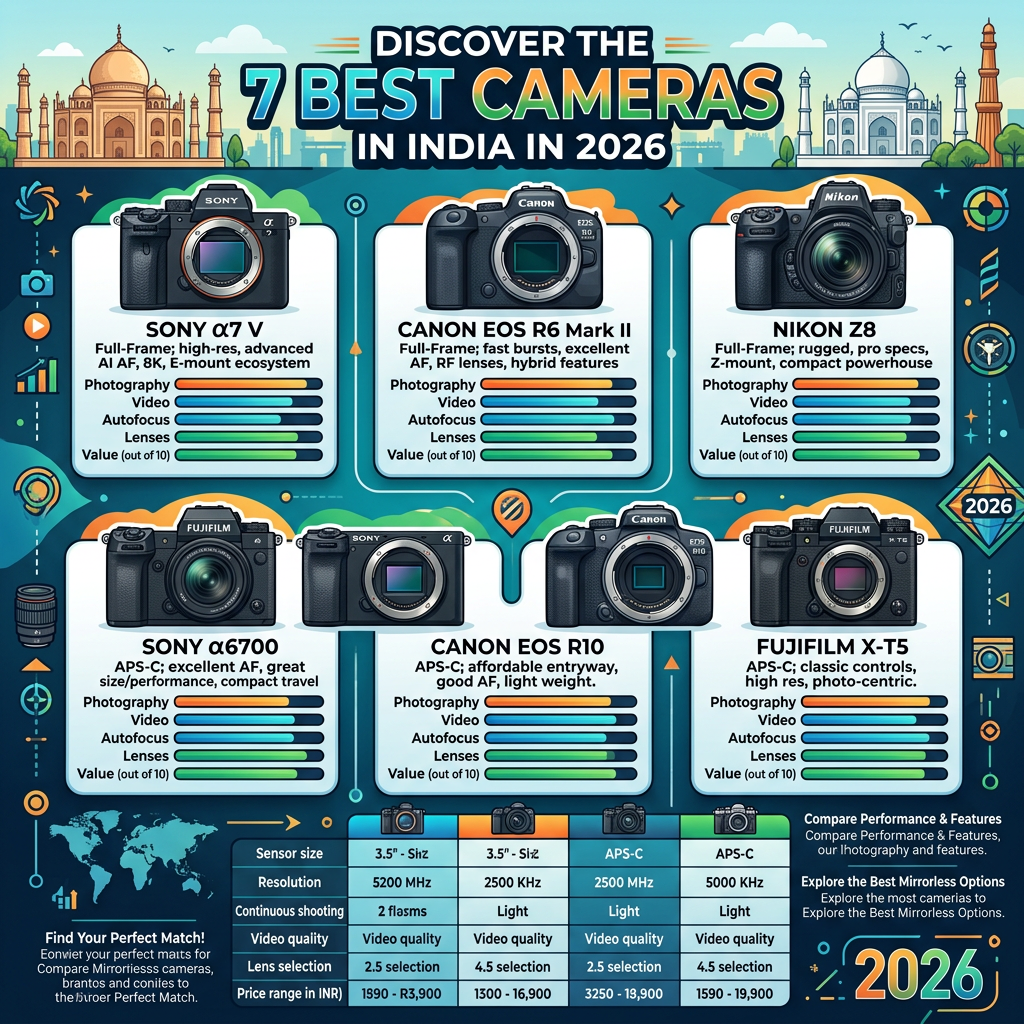
Infographic comparing six mirrorless cameras in India for 2026, including Sony, Canon, Nikon, and Fujifilm models.
SMARTBUY HUB โ€ข CAMERAS & PHOTOGRAPHY

Best Cameras in India 2026: 7 Mirrorless Cameras Worth Buying

From premium full-frame hybrids to beginner-friendly creator cameras, these are seven mirrorless cameras worth considering in 2026.

๐Ÿ“ธ Our 7 Camera Picks

We selected these cameras for different types of photographers and creators rather than simply ranking the most expensive models.

  • Sony ฮฑ7 V โ€” Best Overall
  • Canon EOS R6 Mark II โ€” Best Canon Hybrid
  • Nikon Z6 III โ€” Best Nikon Hybrid
  • Fujifilm X-H2 + 16-80mm โ€” Best High-Resolution APS-C
  • Canon EOS R50 V + RF-S 14-30mm โ€” Best Beginner & Creator
  • Sony ฮฑ6700 โ€” Best APS-C
  • Nikon Z50 II + 16-50mm + 50-250mm โ€” Best Beginner Kit

Why Buy a Mirrorless Camera in 2026?

Smartphones are extremely capable, but a dedicated mirrorless camera gives you something phones cannot fully replace: interchangeable lenses, a larger sensor, greater control over exposure, stronger subject separation and a much broader range of photography options.

Mirrorless cameras also make sense for serious video creators because many current models combine advanced autofocus, high-resolution recording, stabilization and fast readout in relatively compact bodies.

โšก Quick Picks

๐Ÿ† BEST OVERALL

Sony ฮฑ7 V

Our strongest all-round full-frame choice for photography and video.

๐ŸŽฅ BEST CANON HYBRID

Canon EOS R6 Mark II

A versatile full-frame option for photographers and creators.

โšก BEST NIKON HYBRID

Nikon Z6 III

Excellent for advanced photo/video work and fast subjects.

๐Ÿ“ท BEST HIGH-RES APS-C

Fujifilm X-H2

A high-resolution APS-C choice for demanding photographers.

๐ŸŽฌ BEST BEGINNER CREATOR

Canon EOS R50 V

A creator-focused entry point into Canon’s mirrorless ecosystem.

โญ BEST APS-C

Sony ฮฑ6700

A compact APS-C system for travel, photography and content creation.

๐Ÿ’ฐ BEST BEGINNER KIT

Nikon Z50 II

The two-lens kit gives beginners much more shooting flexibility from day one.

๐Ÿ“Š Camera Comparison

Camera Sensor Type Best For Experience
Sony ฮฑ7 V Full-frame All-round photography & video Advanced
Canon EOS R6 Mark II Full-frame Photo + video Advanced
Nikon Z6 III Full-frame Hybrid & professional work Advanced
Fujifilm X-H2 APS-C High-resolution photography Enthusiast
Canon EOS R50 V APS-C Creators & beginners Beginner
Sony ฮฑ6700 APS-C Travel & enthusiast photography Intermediate
Nikon Z50 II APS-C Beginner photography kit Beginner
๐Ÿ† #1 โ€ข BEST OVERALL

Sony ฮฑ7 V (ILCE-7M5)

The Sony ฮฑ7 V is our Best Overall pick because it combines a high-resolution full-frame sensor, fast shooting, advanced autofocus and serious video capabilities in one hybrid camera.

Sony lists approximately 33 megapixels effective resolution, a partially stacked Exmor RS CMOS sensor, BIONZ XR2 processing with an integrated AI processing unit, up to 30fps blackout-free shooting with AF/AE tracking, and 4K 120p recording. Sony specifies that 4K 120p is available in APS-C/Super 35 mode, while full-frame recording supports 4K up to 60p.

  • โœ“ 33MP full-frame sensor
  • โœ“ Partially stacked sensor
  • โœ“ Advanced AI-assisted autofocus
  • โœ“ Up to 30fps electronic shooting
  • โœ“ 4K 120p in Super 35/APS-C mode
  • โœ“ 5-axis image stabilization

Best for: Professional photographers, wedding shooters, travel photographers, creators and serious enthusiasts.

Amazon ASIN: B0G64FTWM3

Check Latest Price on Amazon โ†’
๐ŸŽฅ #2 โ€ข BEST CANON HYBRID

Canon EOS R6 Mark II

The Canon EOS R6 Mark II is a versatile full-frame mirrorless camera designed for photographers and creators who need strong autofocus, fast shooting and capable video in the same body.

It is particularly attractive for portraits, weddings, events, family photography and hybrid creators who want access to Canon’s RF lens ecosystem.

Best for: Canon users, wedding photographers, portraits, events and hybrid photo/video work.

Amazon ASIN: B0BQYFNTZX

Check Latest Price on Amazon โ†’
โšก #3 โ€ข BEST NIKON HYBRID

Nikon Z6 III

The Nikon Z6 III is a powerful full-frame hybrid camera aimed at photographers and videographers who need speed, advanced autofocus and serious video capability.

Nikon lists a 24.5MP effective full-frame sensor, partially stacked design, EXPEED 7 processing, internal 6K/60p RAW recording and advanced subject detection. The camera also offers 8-stop in-camera VR under Nikon’s specified conditions.

  • 24.5MP effective full-frame resolution
  • Partially stacked sensor
  • EXPEED 7 processing
  • 6K/60p internal RAW video
  • Advanced subject detection
  • 8-stop in-camera VR under specified conditions

Best for: Professional and enthusiast hybrid shooters, wildlife, sports, weddings and video.

Amazon ASIN: B0D7HKW5GF

Check Latest Price on Amazon โ†’
๐Ÿ“ท #4 โ€ข BEST HIGH-RESOLUTION APS-C

Fujifilm X-H2 + 16-80mm Lens

The Fujifilm X-H2 is our high-resolution APS-C choice. It is designed for photographers who want detailed images and the flexibility of Fujifilm’s X-mount ecosystem.

The Amazon listing we’re using includes the 16-80mm lens, giving buyers a practical general-purpose starting setup instead of purchasing the body alone.

Best for: Landscape photography, travel, product photography, detailed stills and enthusiast shooting.

Amazon ASIN: B0BCM562BH

Check Latest Price on Amazon โ†’
๐ŸŽฌ #5 โ€ข BEST BEGINNER & CREATOR

Canon EOS R50 V + RF-S 14-30mm

The Canon EOS R50 V is the creator-focused choice in our lineup. It makes the most sense for people entering interchangeable-lens photography while also creating YouTube, Instagram or other social-media video.

The Amazon listing supplied for this guide includes the RF-S 14-30mm lens, giving the buyer a useful starting combination for wide-angle content and everyday shooting.

Best for: Beginner photographers, vloggers, YouTubers, travel creators and social-media content.

Amazon ASIN: B0F3X5K2V3

Check Latest Price on Amazon โ†’
โญ #6 โ€ข BEST APS-C

Sony ฮฑ6700

The Sony ฮฑ6700 is our APS-C enthusiast pick. It offers the flexibility of Sony’s interchangeable E-mount system without requiring a full-frame body.

This makes it particularly attractive for travel photographers, street shooters, wildlife enthusiasts and creators who value a smaller overall system.

Best for: Travel, street photography, wildlife, creators and APS-C enthusiasts.

Amazon ASIN: B0CNRZ8JX7

Check Latest Price on Amazon โ†’
๐Ÿ’ฐ #7 โ€ข BEST BEGINNER KIT

Nikon Z50 II + 16-50mm + 50-250mm

The Nikon Z50 II is particularly attractive in this article because the Amazon listing includes two lenses: a 16-50mm lens for everyday shooting and a 50-250mm lens for portraits, wildlife, sports and distant subjects.

For someone buying their first interchangeable-lens camera, having two useful focal-range options immediately can be much more practical than buying a camera body and figuring out lenses later.

  • 16-50mm lens for everyday and travel photography
  • 50-250mm lens for longer-range shooting
  • APS-C Nikon Z system
  • Excellent starting point for new photographers

Best for: Students, beginners, families, travel photographers and first-time camera buyers.

Amazon ASIN: B0DNZHFZK8

Check Latest Price on Amazon โ†’

๐Ÿ“ท Full-Frame vs APS-C: Which Should You Buy?

Full-Frame

  • Excellent low-light potential
  • Strong subject separation
  • Ideal for professional work
  • Large lens ecosystem
  • Excellent hybrid video options

Our picks: Sony ฮฑ7 V, Canon EOS R6 Mark II and Nikon Z6 III.

APS-C

  • Usually smaller camera systems
  • Often easier to carry
  • Excellent image quality
  • Can offer strong value
  • Useful for travel and wildlife

Our picks: Fujifilm X-H2, Canon EOS R50 V, Sony ฮฑ6700 and Nikon Z50 II.

๐ŸŽฅ Which Camera Is Best for Video?

๐Ÿฅ‡ Sony ฮฑ7 V: Excellent all-round hybrid option with 4K 120p capability.

๐Ÿฅˆ Nikon Z6 III: A particularly strong choice for serious video, including internal 6K/60p RAW.

๐Ÿฅ‰ Canon EOS R6 Mark II: A versatile option for photographers who also shoot substantial video.

๐Ÿ“ธ Which Camera Is Best for Photography?

For the broadest combination of resolution, autofocus, speed and full-frame flexibility, the Sony ฮฑ7 V is our overall photography pick.

The Fujifilm X-H2 is an excellent alternative for photographers who specifically want a high-resolution APS-C system, while the Nikon Z6 III is particularly compelling for action-oriented and hybrid shooters.

๐ŸŽฌ Best Camera for YouTube & Content Creation

Our pick: Canon EOS R50 V.
It is the most creator-oriented option in this particular seven-camera lineup and makes sense for beginners who want to combine photography with video creation.

๐Ÿฆ Best Camera for Wildlife

For advanced wildlife work, the Sony ฮฑ7 V and Nikon Z6 III are our first choices. For beginners, the Nikon Z50 II two-lens kit is especially interesting because the included 50-250mm lens gives you much more reach than a standard kit lens.

๐Ÿงณ Best Camera for Travel

Sony ฮฑ6700

Great balance between interchangeable-lens flexibility and a relatively compact APS-C system.

Canon EOS R50 V

A friendly choice for travelers who also create video content.

Nikon Z50 II

The two-lens kit gives travelers broad focal-length coverage.

Fujifilm X-H2

A strong choice when high-resolution still photography is a priority.

๐Ÿ’ก 7 Things to Check Before Buying a Camera

  1. Don’t buy based only on megapixels. Sensor size, lenses, autofocus and processing all matter.
  2. Check the lens ecosystem. Your camera body is only one part of the system.
  3. Think about weight. A camera that is too heavy may spend more time at home than in your bag.
  4. Consider your video needs. Check resolution, frame rates, autofocus and stabilization.
  5. Look closely at autofocus. It matters enormously for people, sports and wildlife.
  6. Budget for lenses. A camera body is rarely the end of the spending.
  7. Remember accessories. Batteries, memory cards, bags and tripods can become important quickly.

โ“ Frequently Asked Questions

Is mirrorless better than DSLR in 2026?

For most new buyers, mirrorless is the more attractive direction because current systems offer advanced autofocus, electronic viewfinders, strong video capabilities and extensive lens ecosystems.

Is full-frame better than APS-C?

Not automatically. Full-frame can provide advantages in areas such as low-light performance and depth of field, while APS-C systems can be smaller, lighter and easier to carry.

Which camera is best for beginners?

From our seven picks, the Canon EOS R50 V and Nikon Z50 II two-lens kit are the most approachable starting points.

Which camera is best for professional photography?

The Sony ฮฑ7 V, Canon EOS R6 Mark II and Nikon Z6 III are the strongest professional-oriented choices in this lineup.

Should I buy a camera or use my phone?

If you mainly take casual photos and post to social media, a modern smartphone may be enough. A dedicated camera becomes more valuable when you want interchangeable lenses, greater creative control, long-lens photography, stronger subject separation or advanced video.

Do I need to buy expensive lenses immediately?

No. Start with a lens that matches your actual photography. You can upgrade later when you discover which focal lengths and shooting styles you use most.

๐Ÿ† SmartBuy Hub Final Verdict

There is no single perfect camera for every photographer. The right choice depends on your experience, photography style, video requirements, lens plans and budget.

  • Best Overall: Sony ฮฑ7 V
  • Best Canon Hybrid: Canon EOS R6 Mark II
  • Best Nikon Hybrid: Nikon Z6 III
  • Best High-Resolution APS-C: Fujifilm X-H2
  • Best Beginner & Creator: Canon EOS R50 V
  • Best APS-C: Sony ฮฑ6700
  • Best Beginner Kit: Nikon Z50 II + two lenses

Our overall winner is the Sony ฮฑ7 V because it combines a 33MP full-frame sensor, advanced autofocus, fast shooting, stabilization and serious hybrid video capability in one camera.

๐Ÿ“ข Affiliate Disclosure

SmartBuy Hub may earn a commission when you purchase through qualifying affiliate links on this page. This does not increase the price you pay. Product availability and pricing can change, so always check the latest Amazon listing before purchasing.
Posted on Leave a comment

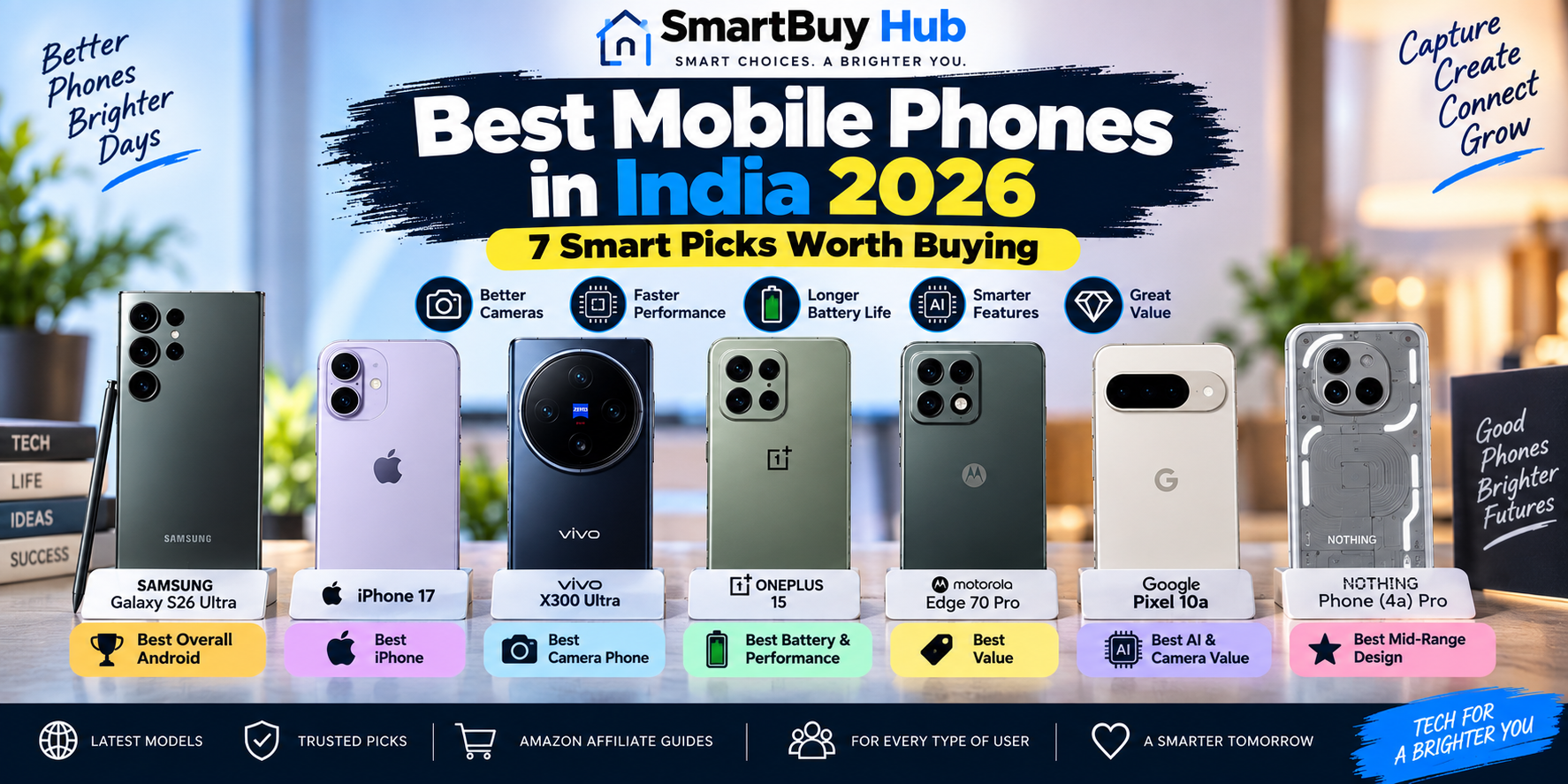
Best-mobile-phones-india-2026

Best mobile phones in India in 2026 featuring Samsung Galaxy S26 Ultra, iPhone 17, vivo X300 Ultra, OnePlus 15, Motorola Edge 70 Pro, Google Pixel 10a and Nothing Phone 4a Pro
SMARTBUY HUB โ€ข MOBILE PHONE GUIDE 2026

Best Mobile Phones in India 2026: 7 Smart Picks Worth Buying

Seven standout smartphones for different buyers โ€” from flagship cameras and iPhones to battery champions, AI-focused phones and value-friendly picks.

Buying a smartphone in 2026 is about much more than choosing the phone with the biggest number on a specification sheet. Camera quality, battery life, display quality, software support, performance, charging and long-term value can all make a major difference.

That’s why SmartBuy Hub selected seven phones for different types of buyers. Instead of pretending that one smartphone is perfect for everyone, this guide explains what each phone does best and who should consider it.

From the Samsung Galaxy S26 Ultra and iPhone 17 to the camera-focused vivo X300 Ultra and performance-oriented OnePlus 15, these picks cover premium, camera, battery, value and everyday smartphone needs.

โšก Quick Picks

๐Ÿ† Best Overall Android: Samsung Galaxy S26 Ultra

๐ŸŽ Best iPhone: Apple iPhone 17

๐Ÿ“ธ Best Camera Phone: vivo X300 Ultra

๐Ÿ”‹ Best Battery & Performance: OnePlus 15

๐Ÿ’ฐ Best Value: Motorola Edge 70 Pro

๐Ÿค– Best AI & Camera Value: Google Pixel 10a

โญ Best Mid-Range Design: Nothing Phone (4a) Pro

๐Ÿ“Š Best Mobile Phones at a Glance

Phone Best For Platform Why Buy?
Samsung Galaxy S26 Ultra Overall Android Android Flagship performance & cameras
Apple iPhone 17 iPhone users iOS A19, camera & ecosystem
vivo X300 Ultra Photography Android ZEISS camera system
OnePlus 15 Battery & performance Android High performance & large battery
Motorola Edge 70 Pro Value Android Premium features for less
Google Pixel 10a AI & camera value Android Google AI & computational photography
Nothing Phone (4a) Pro Design & mid-range Android Distinctive design & cameras

1. Samsung Galaxy S26 Ultra โ€” Best Overall Android Phone

The Samsung Galaxy S26 Ultra is the phone to consider if you want a premium Android experience with a powerful processor, advanced cameras, a large high-refresh-rate display and S Pen functionality.

It is aimed at buyers who want one device that can handle demanding apps, photography, video, gaming, productivity and entertainment without making major compromises.

  • Premium Galaxy S-series flagship
  • Large high-refresh-rate display
  • Advanced multi-camera system
  • Powerful Snapdragon platform
  • S Pen support
  • Large battery
  • Advanced Galaxy AI features

Best for: Buyers who want the most complete premium Android smartphone experience.

๐Ÿ›’ Check Galaxy S26 Ultra on Amazon

2. Apple iPhone 17 โ€” Best iPhone

The iPhone 17 is a strong choice for buyers who want Apple’s ecosystem, long-term software experience, excellent video capabilities and the familiar iPhone experience without necessarily moving to the Pro Max tier.

The phone features Apple’s A19 chip and a 6.3-inch Super Retina XDR OLED display with ProMotion up to 120Hz. Apple also lists a 48MP dual-camera system and up to 30 hours of video playback. :contentReference[oaicite:2]{index=2}

  • Apple A19 chip
  • 6.3-inch OLED display
  • ProMotion up to 120Hz
  • 48MP dual-camera system
  • Apple Intelligence
  • Wi-Fi 7
  • USB-C

Best for: iPhone buyers, students, creators and anyone already invested in Apple’s ecosystem.

๐Ÿ›’ Check iPhone 17 on Amazon

3. vivo X300 Ultra โ€” Best Camera Phone

The vivo X300 Ultra is the photography specialist in this list. It combines a flagship Snapdragon platform with a highly ambitious ZEISS camera system designed for buyers who put photography and video near the top of their priority list.

The Indian model offers 16GB RAM and 512GB storage, while vivo lists a 6,600mAh battery and 100W FlashCharge. Its camera system includes a 200MP main camera, 50MP ultrawide and 200MP telephoto. :contentReference[oaicite:3]{index=3}

  • Snapdragon 8 Elite Gen 5
  • 16GB RAM
  • 512GB storage
  • 6,600mAh battery
  • 100W FlashCharge
  • 2K 144Hz AMOLED display
  • 200MP + 50MP + 200MP rear cameras

Best for: Mobile photographers, videographers and users who want an advanced flagship camera system.

๐Ÿ›’ Check vivo X300 Ultra on Amazon

4. OnePlus 15 โ€” Best Battery & Performance

The OnePlus 15 is designed for buyers who care about fast performance, gaming, long battery life and fast charging.

It is a particularly interesting choice for power users who spend a lot of time gaming, streaming, browsing or running demanding applications. Its large battery and performance-focused hardware make it a natural alternative to more expensive flagship phones.

  • Flagship Snapdragon performance
  • Large 7,300mAh-class battery configuration
  • Fast charging
  • High-refresh-rate display
  • Gaming-focused performance
  • OxygenOS experience

Best for: Gamers, heavy users and buyers who prioritize battery life and performance.

๐Ÿ›’ Check OnePlus 15 on Amazon

5. Motorola Edge 70 Pro โ€” Best Value

The Motorola Edge 70 Pro is aimed at buyers who want a premium-looking smartphone experience without automatically jumping to the highest flagship prices.

Motorola’s Edge series has traditionally focused on attractive designs, high-quality displays and useful everyday features, making this model a compelling option for buyers looking for strong overall value.

  • Premium Edge-series design
  • High-refresh-rate display
  • Modern MediaTek Dimensity platform
  • Advanced camera system
  • Fast charging
  • 5G connectivity
  • Clean Android-focused experience

Best for: Buyers who want a stylish, capable smartphone without moving directly into ultra-premium flagship pricing.

๐Ÿ›’ Check Motorola Edge 70 Pro on Amazon

6. Google Pixel 10a โ€” Best AI & Camera Value

The Google Pixel 10a is a strong option for buyers who want Google’s software experience, computational photography and built-in AI features without moving all the way to Google’s flagship Pixel models.

Google lists 8GB RAM, 256GB storage, the Tensor G4 processor and a 5,100mAh battery. The phone also has a 48MP wide camera and 13MP ultrawide camera, along with Google’s photography and AI features. :contentReference[oaicite:4]{index=4}

  • Google Tensor G4
  • 8GB RAM
  • 256GB storage
  • 5,100mAh battery
  • 120Hz pOLED display
  • 48MP + 13MP rear cameras
  • Google AI features

Best for: Students, everyday users and photography fans who value Google’s software and AI features.

๐Ÿ›’ Check Pixel 10a on Amazon

7. Nothing Phone (4a) Pro โ€” Best Mid-Range Design

The Nothing Phone (4a) Pro is the design-focused option in this guide. It combines Nothing’s distinctive transparent-inspired styling with a capable Snapdragon platform and an ambitious camera setup.

Nothing lists a Snapdragon 7 Gen 4 processor, a large 5,080mAh battery internationally, 50W charging and a three-camera system with a 50MP main camera and periscope telephoto. The India version has a 5,400mAh battery. :contentReference[oaicite:5]{index=5}

  • Snapdragon 7 Gen 4
  • Distinctive Nothing design
  • 50MP main camera with OIS
  • 50MP periscope telephoto
  • Up to 140x digital zoom
  • 5,000-nit display
  • 50W fast charging

Best for: Buyers who want a stylish mid-range phone with strong cameras and a distinctive design.

๐Ÿ›’ Check Nothing Phone (4a) Pro on Amazon

๐ŸŽฏ Which Phone Is Best for You?

Need Recommended Phone
Best overall Android Samsung Galaxy S26 Ultra
Best iPhone iPhone 17
Best camera vivo X300 Ultra
Best battery & performance OnePlus 15
Best value Motorola Edge 70 Pro
Best AI/camera value Google Pixel 10a
Best design Nothing Phone (4a) Pro

๐Ÿ“ธ Which Phone Is Best for Photography?

If camera quality is your highest priority, the vivo X300 Ultra deserves special attention. Its combination of a 200MP main camera, 200MP telephoto and ZEISS-focused imaging system gives it a very different approach from ordinary mid-range phones. :contentReference[oaicite:6]{index=6}

The Samsung Galaxy S26 Ultra is another excellent choice for buyers who want a versatile camera system, while the Pixel 10a is attractive to users who prefer Google’s computational photography and AI tools.

๐ŸŽฎ Which Phone Is Best for Gaming?

For gaming, look beyond camera megapixels. Sustained processor performance, cooling, display refresh rate, battery capacity and charging are much more important during long gaming sessions.

From this list, the OnePlus 15 is the most natural performance-first recommendation, while the Samsung Galaxy S26 Ultra and vivo X300 Ultra are stronger choices if you also want flagship camera capabilities.

๐Ÿ”‹ Which Phone Has the Best Battery?

Battery capacity alone does not determine real-world endurance. Processor efficiency, display resolution, refresh rate, software optimization and charging speed all matter.

The vivo X300 Ultra stands out on battery capacity with its 6,600mAh cell and 100W charging. :contentReference[oaicite:7]{index=7}

The Pixel 10a is another practical choice, with Google’s stated 5,100mAh battery and 30+ hour battery-life claim. :contentReference[oaicite:8]{index=8}

๐ŸŽ“ Best Phone for Students

Students should prioritize battery life, reliable cameras, storage, software support, durability and value rather than simply buying the most expensive phone.

The Google Pixel 10a is a particularly sensible choice for students who want a compact, capable phone with Google’s software and AI features. The iPhone 17 is another excellent choice for students already invested in Apple’s ecosystem. :contentReference[oaicite:9]{index=9}

๐ŸŽ iPhone vs Android: Which Should You Buy?

Choose iPhone if you value Apple’s ecosystem, long-term software experience, video quality, AirDrop, FaceTime and seamless integration with other Apple devices.

Choose Android if you want more hardware choice, deeper customization, flexible multitasking, more charging options and a wider range of prices and form factors.

There is no universal winner. The better platform is the one that fits your existing devices and the way you actually use your phone.

๐Ÿ’พ How Much RAM and Storage Do You Need?

8GB RAM

8GB is enough for many everyday users, social media, photography, streaming, messaging and normal multitasking.

12GB RAM

12GB is a comfortable target for heavy multitasking and users who keep their phone for several years.

16GB RAM

16GB is most useful for demanding users, gaming, heavy multitasking and flagship Android phones designed for advanced workloads.

256GB Storage

For most buyers, 256GB is a strong long-term starting point. It gives you considerably more room for photos, videos, applications and offline media than a basic 128GB configuration.

๐Ÿง  7 Things to Check Before Buying a Smartphone

  1. Processor: Look beyond the brand name and consider sustained performance and efficiency.
  2. Camera: More megapixels do not automatically mean better photos. Sensor quality, stabilization and image processing matter.
  3. Battery: Check capacity, charging speed and real-world efficiency.
  4. Display: OLED panels and high refresh rates can significantly improve everyday use.
  5. Software: Check how long the manufacturer promises updates and security support.
  6. Storage: If you take lots of photos and videos, 256GB can be a much safer long-term choice.
  7. Current price: Always check the current Amazon price and configuration before ordering because smartphone prices and offers change.

โ“ Frequently Asked Questions

What is the best mobile phone in India in 2026?

For an overall premium Android experience, the Samsung Galaxy S26 Ultra is our top pick. iPhone buyers should consider the iPhone 17, while camera enthusiasts should look closely at the vivo X300 Ultra.

Which phone has the best camera?

From our seven picks, the vivo X300 Ultra is the camera-focused choice, with an advanced ZEISS imaging system and high-resolution main and telephoto cameras.

Which phone is best for gaming?

The OnePlus 15 is our performance and battery-focused pick. The Samsung Galaxy S26 Ultra and vivo X300 Ultra are also powerful choices for buyers who want flagship cameras as well.

Is 8GB RAM enough in 2026?

Yes. 8GB can be sufficient for normal everyday use. Heavy users who want more multitasking headroom should consider 12GB or 16GB.

Is 256GB storage enough?

For most users, 256GB is a good long-term capacity. Buyers who record lots of 4K video or store large offline media libraries may want more.

Should I buy an iPhone or Android phone?

Choose iPhone if you value Apple’s ecosystem and simplicity. Choose Android if you want more hardware choice, customization and flexibility.

๐Ÿ† Final Verdict

The best smartphone is the one that matches your priorities rather than simply the phone with the highest specification.

๐Ÿ† Best Overall Android: Samsung Galaxy S26 Ultra

๐ŸŽ Best iPhone: Apple iPhone 17

๐Ÿ“ธ Best Camera: vivo X300 Ultra

๐Ÿ”‹ Best Battery & Performance: OnePlus 15

๐Ÿ’ฐ Best Value: Motorola Edge 70 Pro

๐Ÿค– Best AI & Camera Value: Google Pixel 10a

โญ Best Mid-Range Design: Nothing Phone (4a) Pro

Before purchasing, always verify the exact storage/RAM configuration, current price, seller, warranty, return policy and availability on Amazon.

Affiliate Disclosure: SmartBuy Hub may earn a commission when you purchase through qualifying Amazon links on this page, at no additional cost to you. Product prices, availability, specifications and offers can change. Please verify the current details on Amazon before purchasing.
Posted on Leave a comment

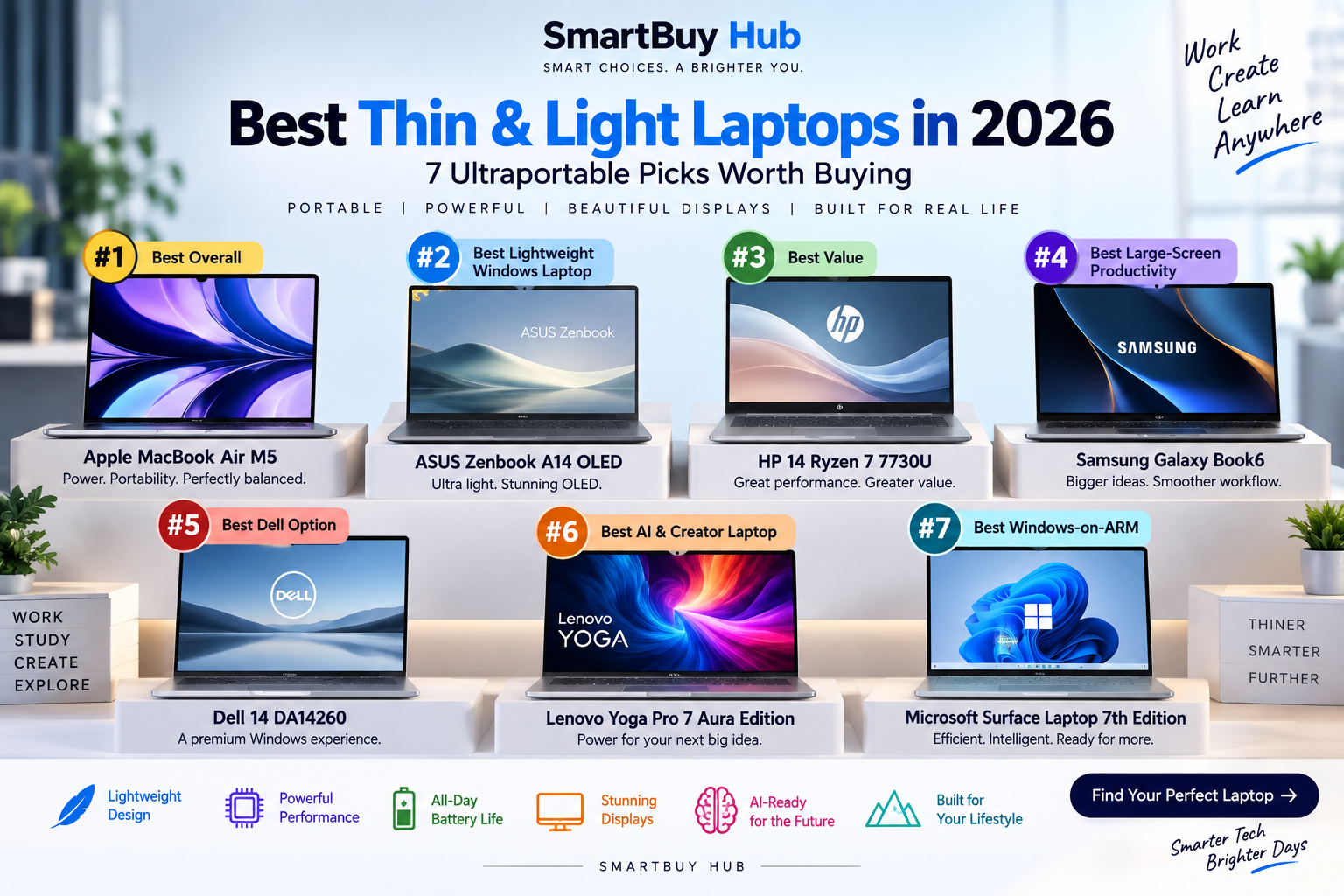
Best Thin & Light Laptops in 2026: 7 Ultraportable Picks Worth Buying

Best laptops for students in 2026 featuring MacBook Air M5, ASUS Vivobook 15, Lenovo IdeaPad Slim 3, HP OmniBook 5 OLED, Acer Aspire 5, HP 14 and Lenovo LOQ
SMARTBUY HUB โ€ข 2026 BUYING GUIDE

Best Thin & Light Laptops in 2026

7 ultraportable laptops compared for performance, battery life, displays, AI features and everyday productivity.

A thin and light laptop no longer has to mean weak performance. Today’s ultraportables can combine premium displays, fast processors, AI acceleration, excellent battery life and genuinely portable designs.

But the right laptop depends on what you actually need. A MacBook Air makes sense for someone who wants a quiet, lightweight everyday machine, while a powerful OLED Windows laptop may be better for creative work. ARM-based Windows laptops can offer excellent efficiency, while traditional x86 systems remain attractive for software compatibility.

We’ve selected seven different laptops to help you find the right balance between portability, performance, battery life and price.

๐Ÿ† Quick Picks

BEST OVERALL Apple MacBook Air M5 A premium, highly portable everyday laptop with Apple’s M5 chip and a 13.6-inch Liquid Retina display.
LIGHTEST PICK ASUS Zenbook A14 OLED An extremely lightweight Windows laptop with Snapdragon X and a 14-inch OLED display.
BEST VALUE HP 14 Ryzen 7 A more affordable productivity laptop with Ryzen 7 performance, 16GB RAM and 512GB SSD.
LARGE-SCREEN PRODUCTIVITY Samsung Galaxy Book6 A 16-inch touchscreen laptop with 120Hz refresh rate and Intel Core Ultra 7.
PREMIUM DELL Dell 14 DA14260 A premium-oriented Dell option for buyers who want a polished Windows laptop.
AI & CREATOR PICK Lenovo Yoga Pro 7 Aura Edition A powerful 14.5-inch 3K OLED laptop with Core Ultra 9, 32GB RAM and 1TB SSD.
WINDOWS ARM Microsoft Surface Laptop 7th Edition A premium Snapdragon X Elite laptop designed around efficiency and portability.

๐Ÿ“Š Compare the 7 Laptops

Laptop Processor RAM Storage Display Best For
MacBook Air M5 Apple M5 16GB 1TB 13.6″ Liquid Retina Overall
ASUS Zenbook A14 Snapdragon X 16GB 512GB 14″ OLED Portability
HP 14 Ryzen 7 7730U 16GB 512GB 14″ FHD Value
Samsung Galaxy Book6 Core Ultra 7 16GB 512GB 16″ 120Hz Touch Productivity
Dell 14 DA14260 Intel platform Varies Varies 14″ class Premium Windows
Lenovo Yoga Pro 7 Aura Core Ultra 9 285H 32GB 1TB 14.5″ 3K OLED AI & creators
Surface Laptop 7th Gen Snapdragon X Elite 16GB 512GB 13.8″ PixelSense Touch Windows ARM

1. Apple MacBook Air M5

#1 โ€” BEST OVERALL

Apple MacBook Air 13-inch with M5

The MacBook Air M5 is our best overall pick because it combines Apple’s latest M5 processor with a compact 13.6-inch design, 16GB unified memory and 1TB SSD storage in the exact configuration we’re recommending.

It is a strong choice for students, professionals, writers, developers and creators who want a fast everyday laptop without a bulky chassis.

Best for

  • Everyday productivity
  • Students
  • Professionals
  • Light creative work
  • People who prefer macOS
Pros
  • Fast M5 chip
  • Lightweight design
  • 16GB memory
  • 1TB SSD in this listing
  • Excellent portability
Cons
  • macOS compatibility differs from Windows
  • Limited upgradeability
  • Premium pricing
Check Latest Price โ†’

2. ASUS Zenbook A14 OLED

#2 โ€” BEST LIGHTWEIGHT WINDOWS LAPTOP

ASUS Zenbook A14 OLED

If portability is your number-one priority, the Zenbook A14 deserves serious attention. The supplied configuration uses a Snapdragon X processor, 16GB RAM, 512GB SSD and a 14-inch OLED display while weighing around 0.98kg.

That makes it particularly attractive for commuters, students and frequent travellers who want Windows without carrying a heavy machine.

Best for

  • Frequent travel
  • Students
  • Office productivity
  • Lightweight Windows computing
Pros
  • Extremely light
  • OLED display
  • 16GB RAM
  • Snapdragon efficiency
  • USB4 connectivity
Cons
  • ARM software compatibility should be checked
  • 60Hz display
  • Not designed for serious gaming
Check Latest Price โ†’

3. HP 14 Ryzen 7 7730U

#3 โ€” BEST VALUE

HP 14 Ryzen 7 7730U

This HP 14 is the practical choice in our lineup. Instead of paying premium prices for an ultrabook, buyers get a Ryzen 7 7730U processor, 16GB DDR4 memory and a 512GB SSD in a 14-inch FHD design.

It is particularly suitable for office work, browsing, documents, study and general productivity.

Best for

  • Students
  • Office work
  • Home users
  • Everyday productivity
Pros
  • Ryzen 7 processor
  • 16GB RAM
  • 512GB SSD
  • Backlit keyboard
  • More affordable positioning
Cons
  • Not an OLED display
  • Older DDR4 memory platform
  • Not aimed at demanding creative workloads
Check Latest Price โ†’

4. Samsung Galaxy Book6

#4 โ€” BEST LARGE-SCREEN PRODUCTIVITY

Samsung Galaxy Book6

The Galaxy Book6 takes a different approach to portability by giving you a much larger 16-inch touchscreen while keeping the design relatively slim.

The supplied configuration features Intel Core Ultra 7, 16GB RAM, 512GB SSD and a 120Hz WUXGA+ touchscreen. It is a good option for users who want more screen space for spreadsheets, documents, multitasking and media.

Best for

  • Office productivity
  • Large-screen multitasking
  • Samsung ecosystem users
  • Media consumption
Pros
  • 16-inch touchscreen
  • 120Hz refresh rate
  • Core Ultra 7
  • 16GB RAM
  • 512GB SSD
Cons
  • Larger than traditional ultraportables
  • Integrated graphics only
  • Not the lightest option here
Check Latest Price โ†’

5. Dell 14 DA14260

#5 โ€” BEST DELL OPTION

Dell 14 DA14260

Dell’s 14-inch option gives buyers a conventional premium Windows laptop format without moving into the much larger 16-inch category.

For buyers who specifically prefer Dell’s design, support ecosystem and Windows platform, this is the model to consider in our seven-laptop lineup.

Best for

  • Business users
  • Everyday Windows computing
  • Dell ecosystem buyers
  • Professional productivity
Pros
  • Compact 14-inch class
  • Professional design
  • Windows platform
  • Dell ecosystem
Cons
  • Exact configuration varies
  • Check current listing specifications before buying
Check Latest Price โ†’

6. Lenovo Yoga Pro 7 Aura Edition

#6 โ€” BEST AI & CREATOR LAPTOP

Lenovo Yoga Pro 7 Aura Edition

This is the performance-focused laptop in our lineup. The supplied configuration combines an Intel Core Ultra 9 285H processor with 32GB LPDDR5x RAM, 1TB PCIe 4.0 storage and a 14.5-inch 3K OLED touchscreen.

The display supports a 120Hz refresh rate and up to 1000 nits peak brightness, while integrated Intel Arc graphics provide substantially more capability than a basic office laptop.

Best for

  • Creators
  • Photo and video work
  • AI workloads
  • Professionals
  • Heavy multitasking
Pros
  • Core Ultra 9 285H
  • 32GB RAM
  • 1TB SSD
  • 3K OLED touchscreen
  • 120Hz refresh rate
Cons
  • More expensive
  • Integrated graphics limit serious gaming
  • More power than casual users need
Check Latest Price โ†’

7. Microsoft Surface Laptop 7th Edition

#7 โ€” BEST WINDOWS-ON-ARM

Microsoft Surface Laptop 7th Edition

The Surface Laptop 7th Edition is one of the strongest choices here for users interested in Windows on ARM. The supplied configuration uses a 12-core Snapdragon X Elite processor, 16GB RAM and 512GB SSD.

Its 13.8-inch PixelSense touchscreen keeps the machine compact while the Snapdragon platform is designed around efficiency and AI acceleration.

Best for

  • Professionals
  • Frequent travellers
  • Microsoft ecosystem users
  • AI-focused productivity
Pros
  • Snapdragon X Elite
  • 16GB RAM
  • 13.8-inch touchscreen
  • Premium aluminum design
  • Copilot+ PC features
Cons
  • ARM compatibility should be checked
  • Not intended for serious gaming
  • 512GB may be limiting for large creative libraries
Check Latest Price โ†’

๐Ÿง  Apple Silicon vs Intel vs Snapdragon

Apple Silicon

Apple’s M-series chips are attractive for buyers who want strong performance, efficiency and tight hardware/software integration. The main consideration is macOS compatibility.

Intel

Intel remains a strong choice for Windows users who depend on traditional PC software, peripherals and broad compatibility. The Lenovo Yoga Pro 7 is the performance-oriented Intel option in our lineup.

Snapdragon / Windows ARM

Snapdragon laptops can deliver excellent efficiency and battery life, but buyers who depend on specialist Windows software, older applications or unusual drivers should verify compatibility before purchasing.

๐Ÿ’พ How Much RAM Do You Need?

8GB: Basic browsing and light tasks, but not our preferred choice for a new premium laptop.

16GB: The sweet spot for most students, professionals and everyday users.

32GB: Better for creators, developers, heavy multitasking and demanding workflows.

๐Ÿ–ฅ๏ธ OLED vs IPS/LCD

OLED displays generally offer deeper blacks, strong contrast and vibrant colours, making them particularly attractive for movies and creative work.

IPS and LCD panels can still be excellent, especially when battery life, price or long static workloads matter more than maximum contrast.

๐ŸŽฏ Which Laptop Should You Buy?

Want the best overall experience?
โžก๏ธ Apple MacBook Air M5

Want the lightest Windows option?
โžก๏ธ ASUS Zenbook A14 OLED

Want to spend less?
โžก๏ธ HP 14 Ryzen 7

Want a large screen?
โžก๏ธ Samsung Galaxy Book6

Prefer Dell?
โžก๏ธ Dell 14 DA14260

Need serious portable performance?
โžก๏ธ Lenovo Yoga Pro 7 Aura Edition

Want Windows ARM?
โžก๏ธ Microsoft Surface Laptop 7th Edition

โœ… 5 Things to Check Before Buying

  1. Processor: Choose the platform that matches your workload and software.
  2. RAM: For a new laptop, 16GB is a sensible target for most users.
  3. Storage: 512GB is a good starting point; creators may want 1TB or more.
  4. Display: Consider OLED, resolution, refresh rate and brightness.
  5. Weight: If you travel every day, even a few hundred grams can make a difference.

โ“ FAQ

What is the best thin and light laptop in 2026?

The Apple MacBook Air M5 is our best overall choice for buyers who are comfortable with macOS. For Windows users, the ASUS Zenbook A14 is one of the most portable options in this lineup.

Is 16GB RAM enough for a laptop in 2026?

For most students, professionals and everyday users, 16GB is a sensible starting point. Heavy creators, developers and advanced multitaskers should consider 32GB.

Are Snapdragon laptops worth buying?

Yes, especially for users who prioritize portability, efficiency and battery life. However, check compatibility with any specialist Windows applications you rely on.

Is OLED better than LCD for laptops?

OLED generally provides stronger contrast and deeper blacks. LCD can still be preferable when price, battery life or long static workloads are more important.

Is a thin laptop good for creators?

Some are. The Lenovo Yoga Pro 7 Aura Edition is the strongest creator-oriented option in this particular lineup because of its Core Ultra 9 processor, 32GB RAM, 1TB SSD and 3K OLED display.

How much storage should a new laptop have?

512GB is a good baseline for many users. If you store large photo, video or project libraries locally, 1TB or more is preferable.

๐Ÿ† Final Verdict

There is no single perfect thin-and-light laptop for everyone.

The Apple MacBook Air M5 is our best overall choice for buyers who want a polished, portable everyday laptop and are happy with macOS.

The ASUS Zenbook A14 OLED is the standout choice when low weight is the priority.

The HP 14 Ryzen 7 is the sensible value option, while the Samsung Galaxy Book6 is better suited to users who want a larger 16-inch touchscreen.

For demanding portable work, Lenovo Yoga Pro 7 Aura Edition is the powerhouse of this group, with 32GB RAM, 1TB storage and a 3K OLED display.

And for users who want Windows on ARM, Microsoft Surface Laptop 7th Edition remains a compelling premium choice.

The best laptop isn’t necessarily the most powerful one. It’s the machine that gives you the right combination of performance, portability, battery life, display quality and software compatibility for the way you actually work.

Affiliate Disclosure: SmartBuy Hub may earn a commission when you purchase products through links on this page, at no additional cost to you. Product prices, availability and specifications can change, so always check the retailer’s current listing before buying.
Posted on Leave a comment

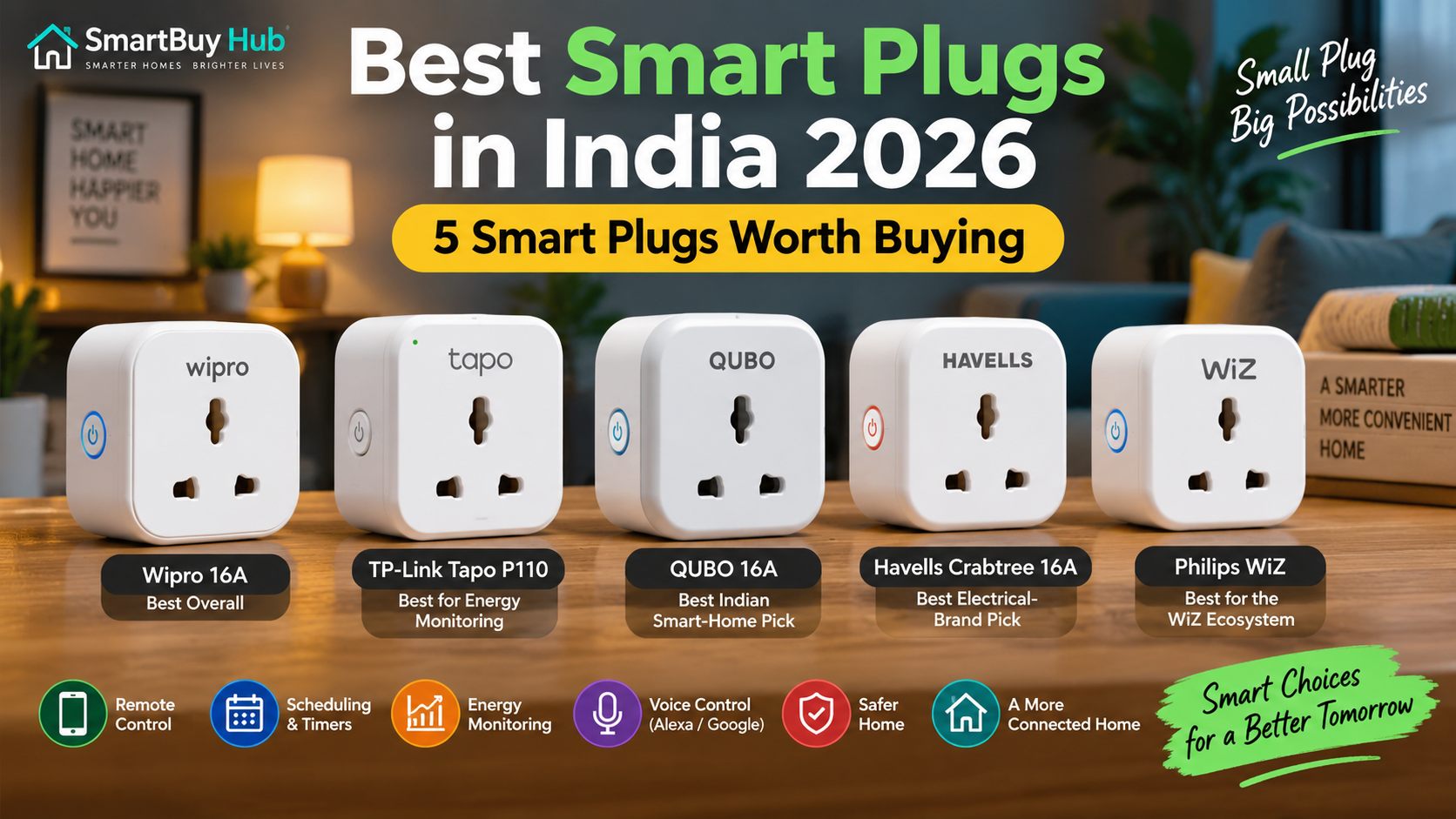
best-smart-plugs-india-2026

Best smart plugs in India 2026 โ€“ 5 smart plugs worth buying

Smart plugs are one of the easiest ways to add useful automation to an ordinary home. Instead of replacing a fan, lamp, TV, purifier or other appliance with a smart version, you can connect it to a compatible smart plug and control it from your phone.

The best smart plugs in India can offer features such as remote on/off control, scheduling, timers, voice commands and energy monitoring. But choosing the right model is not simply about finding the cheapest plug. You also need to consider the appliance’s power requirements, the plug’s current rating, app compatibility and safety features.

For this guide, we have focused on five smart plugs worth considering in 2026, with an emphasis on useful features, established brands and different buying needs.

Important: Always check the current rating and electrical requirements of both your appliance and smart plug before connecting them. A 16A smart plug should not be treated as a guarantee that every high-power appliance is suitable for smart-plug operation.

Quick Picks: Best Smart Plugs in India 2026

Best Overall: Wipro 16A Wi-Fi Smart Plug

Best for Energy Monitoring: TP-Link Tapo P110

Best Indian Smart-Home Pick: QUBO 16A Smart Plug

Best Electrical-Brand Pick: Havells Crabtree 16A Wi-Fi Smart Plug

Best for the WiZ Ecosystem: Philips WiZ Smart Plug 16A


Best Smart Plugs at a Glance

Smart PlugBest ForRatingEnergy MonitoringVoice Control
Wipro 16A Wi-Fi Smart PlugBest Overall16AYes*Alexa / Google
TP-Link Tapo P110Energy Monitoring16AYesAlexa / Google
QUBO 16A Smart PlugIndian Smart Home16AYesAlexa / Google
Havells Crabtree 16A Smart PlugElectrical Brand16AYes*Alexa / Google
Philips WiZ Smart PlugWiZ Ecosystem16AYesAlexa / Google

*Features and specifications can vary by exact model/version. Always verify the current Amazon listing before purchasing.


1. Wipro 16A Wi-Fi Smart Plug โ€” Best Overall

The Wipro 16A Wi-Fi Smart Plug is a strong all-round option for Indian homes where you want remote control, scheduling and voice control without moving into an expensive smart-home system.

Wipro’s smart plug range is designed to make ordinary appliances controllable through the Wipro smart-home ecosystem. Current listings also position the 16A model for appliances such as air conditioners, microwave ovens and geysers, while supporting Alexa and Google Assistant.

Why We Like It

  • 16A-rated option for compatible higher-load applications
  • Smartphone-based control
  • Scheduling and automation
  • Alexa and Google Assistant support
  • Energy-monitoring functionality on supported models
  • Established electrical and lighting brand

Best For

Buyers who want a familiar Indian brand and a balanced combination of smart-home features.

Pros

  • Strong overall feature set
  • Familiar brand
  • Voice-control support
  • Useful for automation and scheduling

Cons

  • Make sure you select the correct 16A model
  • Smart-plug suitability still depends on the connected appliance

Our Verdict

Best Overall: The Wipro 16A Smart Plug is a sensible starting point for buyers who want a mainstream smart plug without making their setup unnecessarily complicated.

Check the latest Amazon price before buying.


2. TP-Link Tapo P110 โ€” Best for Energy Monitoring

The TP-Link Tapo P110 is one of the most feature-rich choices in this list, particularly for buyers who want to understand how much electricity their connected appliances consume.

TP-Link officially lists remote control, scheduling, timers, energy monitoring, away mode and voice control. The current Indian specification lists a maximum load of 3680W/16A and 220โ€“230V operation. It connects over 2.4GHz Wi-Fi and does not require a separate hub.

Why We Like It

The biggest advantage is its energy-monitoring capability. Through the Tapo app, users can monitor power consumption and estimate energy costs.

It also supports Alexa and Google Assistant, while its compact design can be useful when wall sockets are positioned close together.

Key Features

  • 16A maximum load
  • Up to 3680W maximum load according to TP-Link
  • Real-time energy monitoring
  • Energy-cost estimation
  • Remote control
  • Scheduling
  • Countdown timers
  • Away Mode
  • Alexa and Google Assistant
  • No separate hub required
  • 2.4GHz Wi-Fi

Pros

  • Excellent app experience
  • Detailed energy monitoring
  • Strong automation features
  • Voice-control support
  • Compact design

Cons

  • Requires 2.4GHz Wi-Fi
  • More features may be unnecessary if you only need basic on/off control

Our Verdict

Best for Energy Monitoring: Choose the Tapo P110 if tracking electricity consumption is one of your main reasons for buying a smart plug.

Check the latest Amazon price before buying.


3. QUBO 16A Smart Plug โ€” Best Indian Smart-Home Pick

QUBO offers smart plugs in both 10A and 16A versions, giving buyers more flexibility depending on the appliance they want to automate. Its current smart-plug range supports app-based control and voice control, and QUBO highlights Wi-Fi and Bluetooth connectivity in its smart-home ecosystem.

The 16A version is particularly interesting for buyers who want an Indian smart-home brand with energy-monitoring capabilities.

Why We Like It

QUBO’s biggest attraction is its combination of smart control and a broader Indian smart-home ecosystem.

The company’s current product information highlights remote control, automation and voice commands, while its 16A offering is designed for higher-rated appliance use.

Key Features

  • 16A option available
  • Wi-Fi + Bluetooth connectivity
  • App control
  • Scheduling
  • Energy monitoring
  • Alexa compatibility
  • Google Assistant compatibility
  • Safety features on the 16A model

Pros

  • Indian smart-home ecosystem
  • 16A option
  • Energy monitoring
  • Voice control
  • Wi-Fi + Bluetooth connectivity

Cons

  • App/ecosystem preference will depend on the buyer
  • Check the exact model before purchasing because QUBO sells both 10A and 16A versions

Our Verdict

Best Indian Smart-Home Pick: QUBO is worth considering if you want a smart plug from an Indian smart-home ecosystem and prefer having 16A and 10A choices.

Check the latest Amazon price before buying.


4. Havells Crabtree 16A Wi-Fi Smart Plug โ€” Best Electrical-Brand Pick

Havells is a familiar name in India’s electrical-products market, making its Crabtree smart plug an attractive option for buyers who prefer established electrical brands.

The Crabtree 16A Wi-Fi Smart Plug is designed to bring smart control to compatible appliances while working with voice assistants.

Why We Like It

For some buyers, brand familiarity and access to an established electrical ecosystem matter just as much as having the largest list of smart-home features.

The 16A rating also makes this model more relevant to buyers looking for a smart plug for compatible higher-load applications.

Key Features

  • 16A rating
  • Wi-Fi control
  • Smartphone control
  • Voice-control functionality
  • Scheduling
  • Smart-home automation

Pros

  • Established electrical brand
  • 16A option
  • Smart-home functionality
  • Suitable for buyers already familiar with Havells/Crabtree

Cons

  • Check the exact model’s current specifications
  • The app experience may be less important to you if you only need simple remote control

Our Verdict

Best Electrical-Brand Pick: Havells Crabtree makes sense for buyers who value a familiar electrical brand and want smart control without moving to an unfamiliar hardware company.

Check the latest Amazon price before buying.


5. Philips WiZ Smart Plug 16A โ€” Best for the WiZ Ecosystem

If you already use Philips WiZ smart bulbs or other WiZ-compatible products, the Philips WiZ Smart Plug can be an especially convenient addition.

Philips Lighting’s current Indian product information lists the smart plug as a 16A model with Wi-Fi connectivity, no hub requirement, WiZ app control, Alexa and Google Assistant support, scheduling, timers and energy monitoring.

Why We Like It

The main advantage is ecosystem integration.

Instead of managing another completely separate smart-home platform, WiZ users can keep compatible devices inside the WiZ app.

Key Features

  • 16A current option
  • Wi-Fi connectivity
  • No separate hub required
  • WiZ app control
  • Scheduling
  • Timers
  • Energy monitoring
  • Alexa support
  • Google Assistant support

Pros

  • Excellent choice for existing WiZ users
  • Energy monitoring
  • Voice control
  • Scheduling and timers
  • No separate hub required

Cons

  • Most attractive if you already use the WiZ ecosystem
  • Check socket and appliance compatibility before purchase

Our Verdict

Best for the WiZ Ecosystem: This is the smart-plug choice to consider if Philips WiZ is already part of your smart-home setup.

Check the latest Amazon price before buying.


10A vs 16A Smart Plugs: Which One Should You Buy?

This is one of the most important things to understand before buying a smart plug in India.

10A Smart Plugs

10A models are generally better suited to lower-power everyday electronics such as:

  • Lamps
  • Routers
  • TVs
  • Chargers
  • Small fans
  • Other compatible light-load devices

16A Smart Plugs

16A models are designed for higher-rated electrical loads, but the appliance itself must still be compatible.

Depending on the exact model and electrical installation, buyers may consider 16A smart plugs for appliances such as:

  • Geysers
  • Room heaters
  • Air conditioners
  • Washing machines
  • Microwaves
  • Other compatible higher-load appliances

However, do not select a 16A plug simply because the appliance is powerful. Check the appliance manufacturer’s requirements, the smart plug’s specifications, the socket/wiring and the installation conditions first.


What Should You Look for in a Smart Plug?

1. Check the Amp Rating

The first thing to check is whether you need a 10A or 16A model.

Do not connect an appliance to a smart plug that is not rated appropriately for its load.

2. Look for Energy Monitoring

If reducing electricity consumption is important to you, choose a model with energy monitoring.

The Tapo P110, for example, provides power-consumption tracking and energy-cost estimation through its app.

3. Check Voice Assistant Support

Alexa and Google Assistant compatibility can make a smart plug much more convenient.

For example, you can create simple voice commands to control compatible connected appliances.

4. Check Wi-Fi Requirements

Many smart plugs use 2.4GHz Wi-Fi rather than 5GHz.

The Tapo P110, for example, specifies 2.4GHz Wi-Fi.

5. Consider the App

The app is where you’ll create schedules, timers, automation routines and, on supported models, monitor electricity consumption.

A smart plug with excellent hardware but a frustrating app may become annoying over time.

6. Check Physical Size

Indian switchboards can have sockets positioned close together. A large smart plug may interfere with an adjacent socket.

Compact designs can therefore be more convenient.

7. Don’t Ignore Safety

Look for appropriate protection features and materials, but don’t assume that a smart plug automatically makes every appliance safe.

Electrical load, wiring, socket quality and appliance compatibility still matter.


How to Use a Smart Plug

Setting up most Wi-Fi smart plugs is relatively straightforward.

Step 1

Plug the smart plug into a compatible wall socket.

Step 2

Install the manufacturer’s app.

Step 3

Connect the plug to your home’s supported Wi-Fi network.

Step 4

Add the appliance you want to control.

Step 5

Create schedules, timers or automation routines.

Step 6

Connect Alexa or Google Assistant if you want voice control.

For the Tapo P110, TP-Link says setup can be completed through the Tapo app without requiring a separate hub.


Frequently Asked Questions

Are smart plugs worth buying?

Yes, especially if you want remote control, scheduling or automation without replacing an existing appliance.

They can be particularly useful for lamps, fans, entertainment equipment and other compatible appliances.

Is a 16A smart plug better than a 10A plug?

Not automatically.

A 16A plug supports a higher rated load, but that doesn’t mean it is the right choice for every appliance. Choose according to the appliance’s electrical requirements.

Can I use a smart plug with a geyser?

Only if the smart plug, socket, wiring and geyser are all appropriately rated and the installation is suitable.

For high-power appliances, always follow the manufacturer’s electrical requirements and consider professional installation.

Do smart plugs work without Wi-Fi?

This depends on the model.

Some smart plugs have physical controls that continue to work locally, while app-based remote control generally requires the relevant network connection. Features vary by product.

Do smart plugs increase electricity consumption?

A smart plug itself uses a small amount of electricity to operate its electronics. The overall benefit can come from automation, scheduling and energy monitoring that help prevent unnecessary appliance operation.

Can I control a smart plug with Alexa?

Many current smart plugs support Alexa. Compatibility varies by model, so check the manufacturer’s specifications before purchasing.

Can I use a smart plug with Google Home?

Many models support Google Assistant/Google Home integration. Again, check the exact model before buying.

Do smart plugs need a hub?

Many Wi-Fi smart plugs do not require a separate hub. For example, TP-Link states that the Tapo P110 can be set up without a separate hub.


Final Verdict: Which Smart Plug Should You Buy?

If you want the best overall balance, start with the Wipro 16A Wi-Fi Smart Plug.

If energy monitoring is your priority, the TP-Link Tapo P110 is one of the strongest choices in this list.

If you prefer an Indian smart-home ecosystem, consider the QUBO 16A Smart Plug.

If brand familiarity in electrical products is important, the Havells Crabtree 16A Smart Plug is worth considering.

And if you already use Philips WiZ, the Philips WiZ Smart Plug 16A is the natural ecosystem choice.

Our Quick Recommendation

Best Overall: Wipro 16A Smart Plug

Best Energy Monitoring: TP-Link Tapo P110

Best Indian Smart-Home Pick: QUBO 16A Smart Plug

Best Electrical Brand: Havells Crabtree 16A Smart Plug

Best WiZ Ecosystem: Philips WiZ Smart Plug 16A

Before ordering, always check the latest price, exact model, current rating and compatibility on the retailer’s product page.

Prices and availability can change.