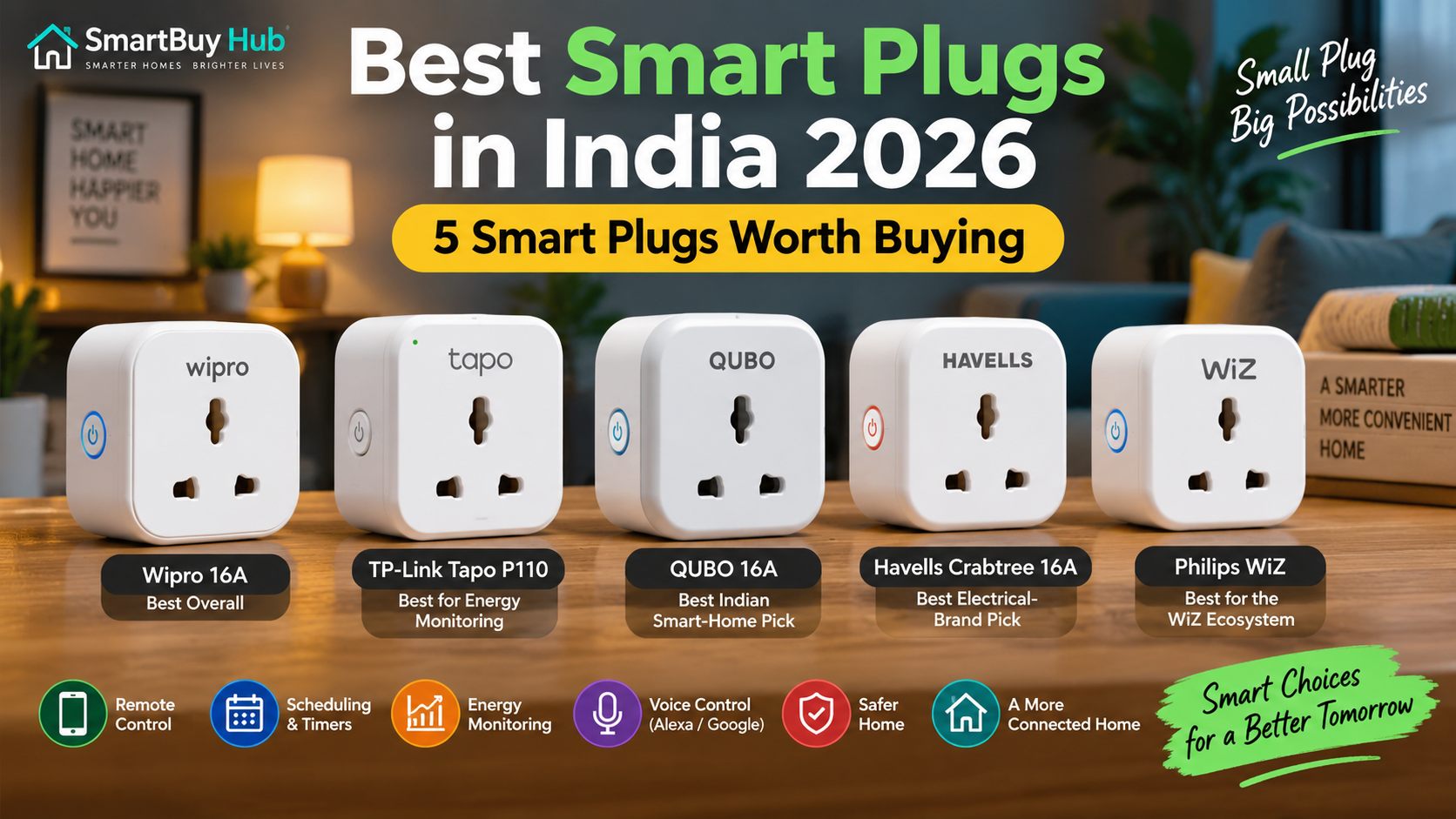
Smart plugs are one of the easiest ways to add useful automation to an ordinary home. Instead of replacing a fan, lamp, TV, purifier or other appliance with a smart version, you can connect it to a compatible smart plug and control it from your phone.
The best smart plugs in India can offer features such as remote on/off control, scheduling, timers, voice commands and energy monitoring. But choosing the right model is not simply about finding the cheapest plug. You also need to consider the appliance’s power requirements, the plug’s current rating, app compatibility and safety features.
For this guide, we have focused on five smart plugs worth considering in 2026, with an emphasis on useful features, established brands and different buying needs.
Important: Always check the current rating and electrical requirements of both your appliance and smart plug before connecting them. A 16A smart plug should not be treated as a guarantee that every high-power appliance is suitable for smart-plug operation.
Quick Picks: Best Smart Plugs in India 2026
Best Overall: Wipro 16A Wi-Fi Smart Plug
Best for Energy Monitoring: TP-Link Tapo P110
Best Indian Smart-Home Pick: QUBO 16A Smart Plug
Best Electrical-Brand Pick: Havells Crabtree 16A Wi-Fi Smart Plug
Best for the WiZ Ecosystem: Philips WiZ Smart Plug 16A
Best Smart Plugs at a Glance
| Smart Plug | Best For | Rating | Energy Monitoring | Voice Control |
|---|---|---|---|---|
| Wipro 16A Wi-Fi Smart Plug | Best Overall | 16A | Yes* | Alexa / Google |
| TP-Link Tapo P110 | Energy Monitoring | 16A | Yes | Alexa / Google |
| QUBO 16A Smart Plug | Indian Smart Home | 16A | Yes | Alexa / Google |
| Havells Crabtree 16A Smart Plug | Electrical Brand | 16A | Yes* | Alexa / Google |
| Philips WiZ Smart Plug | WiZ Ecosystem | 16A | Yes | Alexa / Google |
*Features and specifications can vary by exact model/version. Always verify the current Amazon listing before purchasing.
1. Wipro 16A Wi-Fi Smart Plug — Best Overall
The Wipro 16A Wi-Fi Smart Plug is a strong all-round option for Indian homes where you want remote control, scheduling and voice control without moving into an expensive smart-home system.
Wipro’s smart plug range is designed to make ordinary appliances controllable through the Wipro smart-home ecosystem. Current listings also position the 16A model for appliances such as air conditioners, microwave ovens and geysers, while supporting Alexa and Google Assistant.
Why We Like It
- 16A-rated option for compatible higher-load applications
- Smartphone-based control
- Scheduling and automation
- Alexa and Google Assistant support
- Energy-monitoring functionality on supported models
- Established electrical and lighting brand
Best For
Buyers who want a familiar Indian brand and a balanced combination of smart-home features.
Pros
- Strong overall feature set
- Familiar brand
- Voice-control support
- Useful for automation and scheduling
Cons
- Make sure you select the correct 16A model
- Smart-plug suitability still depends on the connected appliance
Our Verdict
Best Overall: The Wipro 16A Smart Plug is a sensible starting point for buyers who want a mainstream smart plug without making their setup unnecessarily complicated.
Check the latest Amazon price before buying.
2. TP-Link Tapo P110 — Best for Energy Monitoring
The TP-Link Tapo P110 is one of the most feature-rich choices in this list, particularly for buyers who want to understand how much electricity their connected appliances consume.
TP-Link officially lists remote control, scheduling, timers, energy monitoring, away mode and voice control. The current Indian specification lists a maximum load of 3680W/16A and 220–230V operation. It connects over 2.4GHz Wi-Fi and does not require a separate hub.
Why We Like It
The biggest advantage is its energy-monitoring capability. Through the Tapo app, users can monitor power consumption and estimate energy costs.
It also supports Alexa and Google Assistant, while its compact design can be useful when wall sockets are positioned close together.
Key Features
- 16A maximum load
- Up to 3680W maximum load according to TP-Link
- Real-time energy monitoring
- Energy-cost estimation
- Remote control
- Scheduling
- Countdown timers
- Away Mode
- Alexa and Google Assistant
- No separate hub required
- 2.4GHz Wi-Fi
Pros
- Excellent app experience
- Detailed energy monitoring
- Strong automation features
- Voice-control support
- Compact design
Cons
- Requires 2.4GHz Wi-Fi
- More features may be unnecessary if you only need basic on/off control
Our Verdict
Best for Energy Monitoring: Choose the Tapo P110 if tracking electricity consumption is one of your main reasons for buying a smart plug.
Check the latest Amazon price before buying.
3. QUBO 16A Smart Plug — Best Indian Smart-Home Pick
QUBO offers smart plugs in both 10A and 16A versions, giving buyers more flexibility depending on the appliance they want to automate. Its current smart-plug range supports app-based control and voice control, and QUBO highlights Wi-Fi and Bluetooth connectivity in its smart-home ecosystem.
The 16A version is particularly interesting for buyers who want an Indian smart-home brand with energy-monitoring capabilities.
Why We Like It
QUBO’s biggest attraction is its combination of smart control and a broader Indian smart-home ecosystem.
The company’s current product information highlights remote control, automation and voice commands, while its 16A offering is designed for higher-rated appliance use.
Key Features
- 16A option available
- Wi-Fi + Bluetooth connectivity
- App control
- Scheduling
- Energy monitoring
- Alexa compatibility
- Google Assistant compatibility
- Safety features on the 16A model
Pros
- Indian smart-home ecosystem
- 16A option
- Energy monitoring
- Voice control
- Wi-Fi + Bluetooth connectivity
Cons
- App/ecosystem preference will depend on the buyer
- Check the exact model before purchasing because QUBO sells both 10A and 16A versions
Our Verdict
Best Indian Smart-Home Pick: QUBO is worth considering if you want a smart plug from an Indian smart-home ecosystem and prefer having 16A and 10A choices.
Check the latest Amazon price before buying.
4. Havells Crabtree 16A Wi-Fi Smart Plug — Best Electrical-Brand Pick
Havells is a familiar name in India’s electrical-products market, making its Crabtree smart plug an attractive option for buyers who prefer established electrical brands.
The Crabtree 16A Wi-Fi Smart Plug is designed to bring smart control to compatible appliances while working with voice assistants.
Why We Like It
For some buyers, brand familiarity and access to an established electrical ecosystem matter just as much as having the largest list of smart-home features.
The 16A rating also makes this model more relevant to buyers looking for a smart plug for compatible higher-load applications.
Key Features
- 16A rating
- Wi-Fi control
- Smartphone control
- Voice-control functionality
- Scheduling
- Smart-home automation
Pros
- Established electrical brand
- 16A option
- Smart-home functionality
- Suitable for buyers already familiar with Havells/Crabtree
Cons
- Check the exact model’s current specifications
- The app experience may be less important to you if you only need simple remote control
Our Verdict
Best Electrical-Brand Pick: Havells Crabtree makes sense for buyers who value a familiar electrical brand and want smart control without moving to an unfamiliar hardware company.
Check the latest Amazon price before buying.
5. Philips WiZ Smart Plug 16A — Best for the WiZ Ecosystem
If you already use Philips WiZ smart bulbs or other WiZ-compatible products, the Philips WiZ Smart Plug can be an especially convenient addition.
Philips Lighting’s current Indian product information lists the smart plug as a 16A model with Wi-Fi connectivity, no hub requirement, WiZ app control, Alexa and Google Assistant support, scheduling, timers and energy monitoring.
Why We Like It
The main advantage is ecosystem integration.
Instead of managing another completely separate smart-home platform, WiZ users can keep compatible devices inside the WiZ app.
Key Features
- 16A current option
- Wi-Fi connectivity
- No separate hub required
- WiZ app control
- Scheduling
- Timers
- Energy monitoring
- Alexa support
- Google Assistant support
Pros
- Excellent choice for existing WiZ users
- Energy monitoring
- Voice control
- Scheduling and timers
- No separate hub required
Cons
- Most attractive if you already use the WiZ ecosystem
- Check socket and appliance compatibility before purchase
Our Verdict
Best for the WiZ Ecosystem: This is the smart-plug choice to consider if Philips WiZ is already part of your smart-home setup.
Check the latest Amazon price before buying.
10A vs 16A Smart Plugs: Which One Should You Buy?
This is one of the most important things to understand before buying a smart plug in India.
10A Smart Plugs
10A models are generally better suited to lower-power everyday electronics such as:
- Lamps
- Routers
- TVs
- Chargers
- Small fans
- Other compatible light-load devices
16A Smart Plugs
16A models are designed for higher-rated electrical loads, but the appliance itself must still be compatible.
Depending on the exact model and electrical installation, buyers may consider 16A smart plugs for appliances such as:
- Geysers
- Room heaters
- Air conditioners
- Washing machines
- Microwaves
- Other compatible higher-load appliances
However, do not select a 16A plug simply because the appliance is powerful. Check the appliance manufacturer’s requirements, the smart plug’s specifications, the socket/wiring and the installation conditions first.
What Should You Look for in a Smart Plug?
1. Check the Amp Rating
The first thing to check is whether you need a 10A or 16A model.
Do not connect an appliance to a smart plug that is not rated appropriately for its load.
2. Look for Energy Monitoring
If reducing electricity consumption is important to you, choose a model with energy monitoring.
The Tapo P110, for example, provides power-consumption tracking and energy-cost estimation through its app.
3. Check Voice Assistant Support
Alexa and Google Assistant compatibility can make a smart plug much more convenient.
For example, you can create simple voice commands to control compatible connected appliances.
4. Check Wi-Fi Requirements
Many smart plugs use 2.4GHz Wi-Fi rather than 5GHz.
The Tapo P110, for example, specifies 2.4GHz Wi-Fi.
5. Consider the App
The app is where you’ll create schedules, timers, automation routines and, on supported models, monitor electricity consumption.
A smart plug with excellent hardware but a frustrating app may become annoying over time.
6. Check Physical Size
Indian switchboards can have sockets positioned close together. A large smart plug may interfere with an adjacent socket.
Compact designs can therefore be more convenient.
7. Don’t Ignore Safety
Look for appropriate protection features and materials, but don’t assume that a smart plug automatically makes every appliance safe.
Electrical load, wiring, socket quality and appliance compatibility still matter.
How to Use a Smart Plug
Setting up most Wi-Fi smart plugs is relatively straightforward.
Step 1
Plug the smart plug into a compatible wall socket.
Step 2
Install the manufacturer’s app.
Step 3
Connect the plug to your home’s supported Wi-Fi network.
Step 4
Add the appliance you want to control.
Step 5
Create schedules, timers or automation routines.
Step 6
Connect Alexa or Google Assistant if you want voice control.
For the Tapo P110, TP-Link says setup can be completed through the Tapo app without requiring a separate hub.
Frequently Asked Questions
Are smart plugs worth buying?
Yes, especially if you want remote control, scheduling or automation without replacing an existing appliance.
They can be particularly useful for lamps, fans, entertainment equipment and other compatible appliances.
Is a 16A smart plug better than a 10A plug?
Not automatically.
A 16A plug supports a higher rated load, but that doesn’t mean it is the right choice for every appliance. Choose according to the appliance’s electrical requirements.
Can I use a smart plug with a geyser?
Only if the smart plug, socket, wiring and geyser are all appropriately rated and the installation is suitable.
For high-power appliances, always follow the manufacturer’s electrical requirements and consider professional installation.
Do smart plugs work without Wi-Fi?
This depends on the model.
Some smart plugs have physical controls that continue to work locally, while app-based remote control generally requires the relevant network connection. Features vary by product.
Do smart plugs increase electricity consumption?
A smart plug itself uses a small amount of electricity to operate its electronics. The overall benefit can come from automation, scheduling and energy monitoring that help prevent unnecessary appliance operation.
Can I control a smart plug with Alexa?
Many current smart plugs support Alexa. Compatibility varies by model, so check the manufacturer’s specifications before purchasing.
Can I use a smart plug with Google Home?
Many models support Google Assistant/Google Home integration. Again, check the exact model before buying.
Do smart plugs need a hub?
Many Wi-Fi smart plugs do not require a separate hub. For example, TP-Link states that the Tapo P110 can be set up without a separate hub.
Final Verdict: Which Smart Plug Should You Buy?
If you want the best overall balance, start with the Wipro 16A Wi-Fi Smart Plug.
If energy monitoring is your priority, the TP-Link Tapo P110 is one of the strongest choices in this list.
If you prefer an Indian smart-home ecosystem, consider the QUBO 16A Smart Plug.
If brand familiarity in electrical products is important, the Havells Crabtree 16A Smart Plug is worth considering.
And if you already use Philips WiZ, the Philips WiZ Smart Plug 16A is the natural ecosystem choice.
Our Quick Recommendation
Best Overall: Wipro 16A Smart Plug
Best Energy Monitoring: TP-Link Tapo P110
Best Indian Smart-Home Pick: QUBO 16A Smart Plug
Best Electrical Brand: Havells Crabtree 16A Smart Plug
Best WiZ Ecosystem: Philips WiZ Smart Plug 16A
Before ordering, always check the latest price, exact model, current rating and compatibility on the retailer’s product page.
Prices and availability can change.