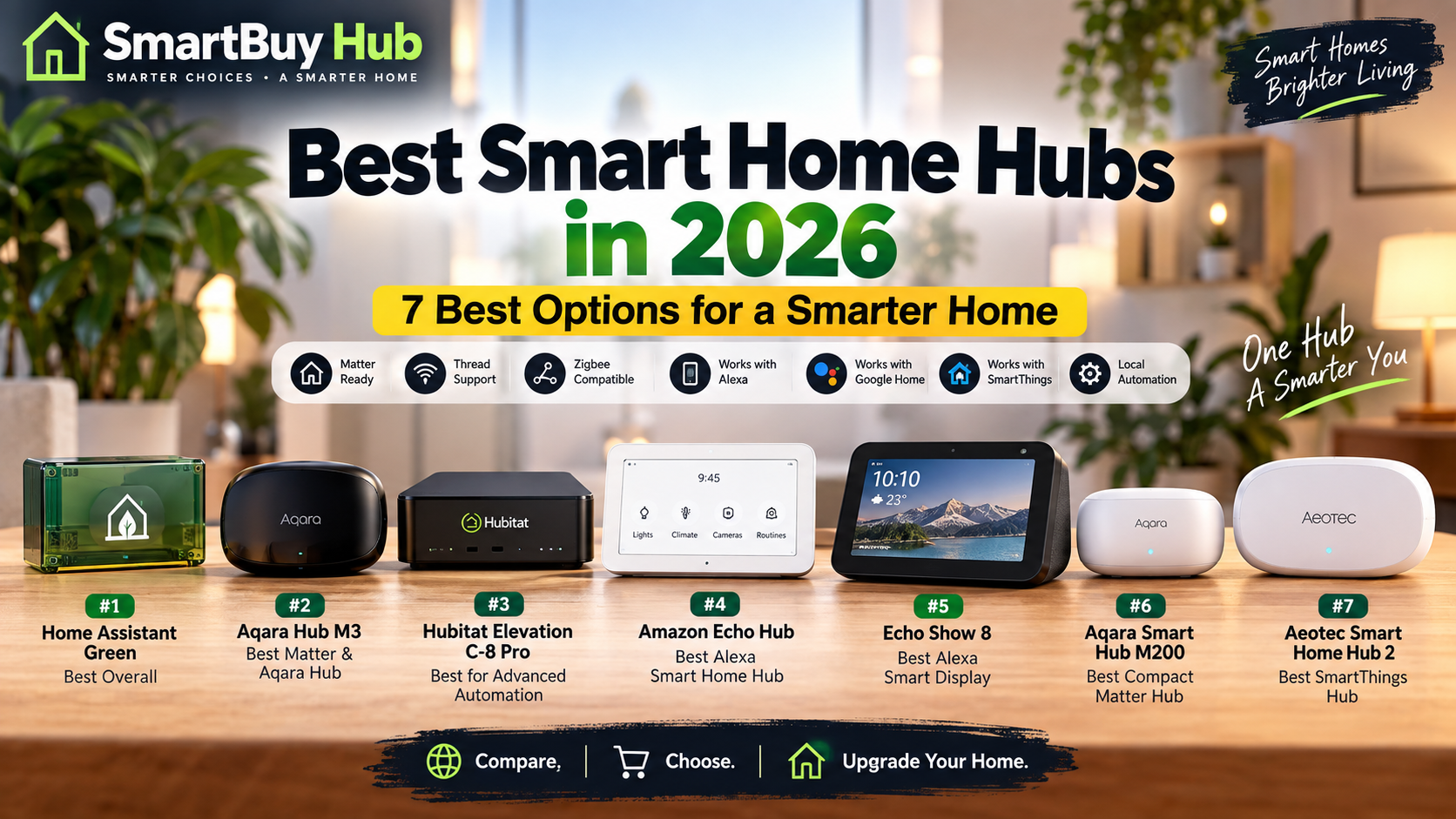
Discover the best smart home hubs for Matter, Thread, Zigbee, Z-Wave, Alexa, SmartThings and advanced home automation.
A smart home can start with a single smart bulb or smart plug, but once you add sensors, locks, switches and other connected devices, managing everything from separate apps can quickly become frustrating.
That is where a smart home hub can make a big difference. A good hub acts as a central control point for compatible devices and can help you create routines that connect different parts of your home.
In 2026, buyers also have more choices than ever. Matter and Thread are becoming increasingly important, while Zigbee and Z-Wave remain useful for many established smart-home devices.
The best smart home hub therefore depends on the ecosystem you already use, the devices you own and how much control you want over your automation.
We selected five different approaches to smart-home control to help you find the right option for your home.
⚡ Quick Picks
🥇 Best Overall: Aqara Hub M3
🥈 Best for Advanced Users: Home Assistant Green
🥉 Best for SmartThings: Aeotec Smart Home Hub
💰 Best Value: Aqara Hub M100
🏠 Best Alexa Display: Amazon Echo Show 8
Aqara Hub M3
The Aqara Hub M3 is our top overall choice for buyers who want a modern smart-home hub with broad connectivity and strong Matter support.
The M3 supports Zigbee 3.0, Thread and Matter. It can also work as a Matter bridge, allowing compatible Aqara devices to be exposed to supported Matter ecosystems.
Aqara also gives the M3 local automation capabilities, dual-band Wi-Fi, Ethernet connectivity through PoE and a built-in infrared controller for compatible appliances.
Why we like it
- Matter support
- Thread support
- Zigbee 3.0 support
- Local automation capabilities
- Works with major smart-home ecosystems
- Built-in IR controller
- Wi-Fi and PoE connectivity
Best for
Buyers building a modern smart home around Matter and Thread who also want access to Aqara’s large accessory ecosystem.
Things to consider
The M3 is a premium hub and may be more than you need if your smart home consists of only a few basic Wi-Fi devices.
Home Assistant Green
Home Assistant Green is designed for people who want deeper control over their smart home rather than relying on a single manufacturer’s ecosystem.
It provides dedicated hardware for running Home Assistant, a powerful open smart-home platform with a huge range of integrations and automation possibilities.
One important distinction is that Home Assistant Green itself is the computing hub. It does not include built-in Zigbee or Thread radio hardware, so compatible USB adapters can be added when those protocols are required.
Why we like it
- Powerful automation platform
- Large integration ecosystem
- Strong local-control approach
- Highly customizable
- Excellent for advanced users
- Expandable with compatible hardware
Best for
Enthusiasts who want to combine smart devices from different brands and create highly customized automations.
Things to consider
Home Assistant is more technical than many plug-and-play smart-home platforms. Beginners may need some time to learn the system.
Aeotec Smart Home Hub
If your smart home uses Samsung SmartThings or includes Zigbee and Z-Wave accessories, the Aeotec Smart Home Hub is a strong option.
Aeotec’s hub supports Zigbee, Z-Wave, Matter and Thread, making it particularly useful for households with a mixture of newer and established smart-home devices.
Through SmartThings, users can create routines and scenes that combine compatible lights, plugs, sensors, switches and other devices.
Why we like it
- Zigbee support
- Z-Wave support
- Matter support
- Thread Border Router functionality
- SmartThings integration
- Works with a wide range of compatible devices
Best for
SmartThings users and buyers who want support for established Zigbee and Z-Wave devices alongside newer smart-home standards.
Things to consider
If you are starting from scratch with a very simple Matter-only setup, you may not need all of the hub’s protocol support.
Aqara Hub M100
The Aqara Hub M100 is a compact option for buyers who want modern smart-home connectivity without purchasing a larger premium hub.
The M100 supports Zigbee and Thread, includes Wi-Fi 6 and Bluetooth 5.2, and can work with platforms including Aqara, Apple Home, Alexa, Google Home, SmartThings and Home Assistant.
Its small USB-powered design also makes placement easy. You can power it from a compatible USB-A connection, which can be useful when space is limited.
Why we like it
- Compact design
- Zigbee support
- Thread support
- Wi-Fi 6
- Bluetooth 5.2
- Matter hub and bridging features
- USB-A powered design
Best for
Buyers looking for a compact and affordable way to add a capable smart-home hub to a growing setup.
Things to consider
Its compact design comes with fewer physical connectivity options than larger premium hubs such as the Aqara M3.
Amazon Echo Show 8
If Alexa is already the center of your smart home, the Amazon Echo Show 8 offers something the other hubs in this list do not: a dedicated touchscreen interface.
The display makes it easy to view and control compatible smart-home devices, check cameras, manage routines and interact with Alexa from one central screen.
It is particularly useful for homes where family members want a visible control point rather than relying entirely on a smartphone.
Why we like it
- Large smart-home display
- Alexa integration
- Convenient visual controls
- Useful for routines and compatible devices
- Can double as a smart display
- Good fit for Alexa-focused homes
Best for
Alexa users who want a central touchscreen for controlling and interacting with their smart home.
Things to consider
This is primarily an Alexa smart display rather than a universal enthusiast hub. Its biggest advantage comes when your home already uses Alexa-compatible devices.
🔎 Smart Home Hub Comparison
| Hub | Best For | Main Strength |
|---|---|---|
| Aqara Hub M3 | Overall | Matter + Thread + Zigbee |
| Home Assistant Green | Advanced Users | Customization & automation |
| Aeotec Smart Home Hub | SmartThings | Zigbee + Z-Wave |
| Aqara Hub M100 | Value | Compact Matter/Thread hub |
| Amazon Echo Show 8 | Alexa | Touchscreen smart-home control |
🏠 What Is a Smart Home Hub?
A smart home hub is a central device or software platform that helps compatible smart-home products communicate and work together.
Instead of controlling every device separately, a hub can help you create routines such as turning on lights when motion is detected, activating several devices with one command or coordinating sensors with other smart-home products.
Not every smart device requires a hub. Some modern Wi-Fi devices connect directly to your router and operate through their manufacturer’s app. A hub becomes more useful as your smart home grows or when you want to use protocols such as Zigbee, Z-Wave or Thread.
🧩 Matter vs Thread vs Zigbee vs Z-Wave
These terms can be confusing if you’re buying your first smart-home hub.
Matter
Matter is a smart-home interoperability standard designed to help compatible devices work across supported ecosystems.
Thread
Thread is a low-power wireless networking technology designed for connected smart-home devices. It is particularly useful for sensors and other low-power products.
Zigbee
Zigbee is an established low-power wireless technology used by many smart lights, sensors, switches and other smart-home accessories.
Z-Wave
Z-Wave is another established wireless technology used extensively for home automation, including compatible locks, sensors and switches.
Tip: Before buying a hub, check which technologies your existing devices use. This can prevent compatibility problems later.
🛒 How to Choose the Right Smart Home Hub
1. Check your existing ecosystem
If your home already uses Alexa, Apple Home, SmartThings, Aqara or Home Assistant, staying within that ecosystem may simplify setup.
2. Check protocol compatibility
Matter and Thread are increasingly important for newer devices, but Zigbee and Z-Wave remain valuable if you already own compatible accessories.
3. Think about future expansion
Your smart home may start with a few devices and eventually grow to dozens. Choose a platform that can support the products you expect to add.
4. Consider local automation
Some smart-home systems can perform selected automations locally. This can provide faster responses and reduce dependence on an internet connection for those particular routines.
5. Don’t overbuy
A highly advanced hub can be impressive, but it may be unnecessary if you only want to control a few basic devices. Buy according to the complexity of your smart home.
⚙️ How to Set Up a Smart Home Hub
- Connect the hub to power and your network.
- Install the required app or software.
- Create or sign into an account if required.
- Update the hub firmware or software.
- Add compatible smart-home devices.
- Organize devices by room.
- Create simple routines and automations.
- Test everything before creating complicated routines.
Start small. A reliable two-device automation is better than a complicated routine that fails frequently.
⚠️ Common Smart Home Hub Mistakes
- Buying a hub without checking compatibility
- Ignoring the ecosystem you already use
- Assuming all Matter devices behave identically across every platform
- Ignoring Zigbee or Z-Wave requirements for existing devices
- Creating complicated automations before testing simple ones
- Buying an expensive hub when a simpler solution would work
❓ Frequently Asked Questions
Do I need a smart home hub in 2026?
Not necessarily. Some smart devices work directly over Wi-Fi or Matter. A hub becomes more useful when you want advanced automation, multiple protocols or centralized control.
What is the best smart home hub in 2026?
For this guide, the Aqara Hub M3 is our overall pick because of its combination of Matter, Thread, Zigbee and local automation capabilities.
Is Matter the same as Thread?
No. Matter is a smart-home interoperability standard, while Thread is a wireless networking technology. Matter can operate over networking technologies such as Thread and Wi-Fi.
Does Home Assistant Green have built-in Zigbee?
No. Home Assistant Green provides the hardware for running Home Assistant, but Zigbee and Thread connectivity can be added using compatible hardware when required.
Can one smart home use multiple hubs?
Yes. Some households use multiple hubs or bridges, especially when they have devices belonging to different ecosystems. However, keeping your setup as simple as possible can make troubleshooting easier.
Which hub is best for SmartThings?
The Aeotec Smart Home Hub is a strong choice for SmartThings users and supports Zigbee, Z-Wave, Matter and Thread.
Which hub is best for Alexa?
The Amazon Echo Show 8 is a good option for Alexa-focused homes that want a dedicated screen for smart-home controls.
Is Aqara M100 good for a small smart home?
Yes. Its compact design, Zigbee and Thread support, Wi-Fi 6 connectivity and Matter capabilities make it an interesting option for smaller setups.
🏆 Final Verdict
The best smart home hub in 2026 depends on the ecosystem you use and how much control you want.
Aqara Hub M3 is our overall pick for buyers who want a powerful modern hub with Matter, Thread, Zigbee and local automation capabilities.
Home Assistant Green is the better choice for enthusiasts who want deep customization and advanced automation.
Aeotec Smart Home Hub is a strong choice for SmartThings users and homes that rely on Zigbee or Z-Wave devices.
Aqara Hub M100 offers a compact and affordable route into modern smart-home connectivity.
And if your home already revolves around Alexa, the Amazon Echo Show 8 provides a convenient touchscreen control point.
Before buying, check the devices you already own, the protocols they use and the ecosystem you want to build around. The right hub can become the foundation of your entire smart home.